Showing posts with label Search Application. Show all posts

Saturday, June 18, 2011

Nokia Search : universal search app coming soon?


There is now a new private project launched by Nokia Beta Labs. The application, called Nokia Search, should not be anything but a strong universal implementation of the famous study of Symbian

Much like the universal search apps built into many smartphone platforms, including iOS, Android, webOS, and Windows Phone, Nokia's search app for Symbian allows users to search for things stored locally on their phones, as well as on the greater web. It will surface relevant contacts, settings, apps, webpages, map listings, and more with just a few letters of a query.

There is a homescreen widget with an easy-to-access search box to make it quick and simple to perform searches. Below the search box is a dynamically changing list of most commonly used apps and popular contacts.

Wednesday, January 27, 2010

[Maemo 5 / N900 Apps] TouchSearch 2.1-2 Now Available !

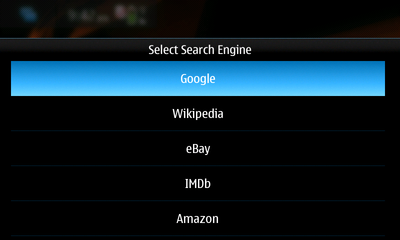
TouchSearch has got a major upgrade for those using 1.3-2. Many things were changed, most notably the look and feel of the widget. Gone is the (admittedly, ugly!) black box background and in is a very sleek semi-transparent background that is more consistent with the look of the built-in desktop widgets :


Also new in this version is the Configure Search Engines interface. This is available from the Widget Options and allows you to create, edit, delete and sort your search engines. Beware though, that the Add Search Engine option is still a bit untested and you may run into a few hiccups while trying to add search engines.


Here is the full changelog for those wondering :

- User can now Add, Edit, Delete and Sort search engines
-  Widget now features a background with rounded corners and user-selectable opacity
- New integrated help system
- Added WebMD to search engines list
- Numerous bug-fixes and optimizations.

Via : maemomagazine

Thursday, October 1, 2009

Introducing the new Local Search for Mobile

The mobile search team is introducing a redesigned local search experience on your phone that integrates with Google Maps on your computer and includes browseable categories that let you search without typing. Let me tell you how I used these features on my recent vacation to Hawaii.

Before I left, I researched places to visit on Google Maps. I signed in to my Google account and starred the places I wanted to go. Once I got to Hawaii, by signing in on my phone, I was able to see the places I starred on desktop Maps under "Starred Places". I could then click through on place names to visit mobile-optimized versions of Place Pages for Google Maps that include opening hours, reviews, photos, and more.


The new category browse feature made it easy to find a place to rent bicycles for a quick tour of the coastline. I just tapped on "Entertainment & Recreation" and then "Bicycles" to execute a search — no typing necessary. When it was time for scuba diving, I didn't see an appropriate category, so I started typing "SCUBA" in the search box and clicked on a suggestion for "Scuba Tour Agency". A few hours later, I was petting a white-tipped reef shark!


Of course, local search isn't only useful when you're traveling — here's an example of planning a birthday party in my hometown, San Francisco:


To access these features on your mobile device, go to www.google.com/m/local, or just click on the Local tab on www.google.com. The product is available in the US and China, with more regions coming soon.

Via :  googlemobile

Wednesday, September 16, 2009

Google Mobile Search App (Google Mobile App) v2.1.12

Google have released an update to their Google Search v2.01.11 app, but called it Google Mobile App for S60.

Google Mobile App gets you the information you need quickly, with instant access to Google Search, and launches your favorite Google products.

- Start a search without waiting to load a mobile browser.
- Search suggestions and your search history appear as you type.
- Access Maps, Gmail, News and more all from one place.

Features :

Instant access to search. Start a Google search without loading a mobile web browser and navigating to Google.com. With one-click search you can begin your search quickly and easily.

Google Suggest and search history. Get rapid access to your previous searches and see popular completions for your query - just click to repeat them without having to retype.

Easy access to other Google products. Launch other Google mobile products including Maps, Gmail, News and more.

Google Mobile App can be downloaded from http://m.google.com on your phone's browser or here.

Tuesday, July 28, 2009

iSearch – a web search launcher for S60 5th Edition

The iSearch widget is inspired by Russell Beattie’s Q Search widget. Russell made his with 30 lines of code – I used a bit more. iSearch widget has a touch friendly UI and there are currently 8 search options/engines to choose from.

It speeds up the task of searching for stuff on the mighty Internet. Type a word to search for and click the service of your choice and the widget launches the phone’s browser and loads the result. The widget remembers the last thing that you searched for and displays it in the text box when you start the widget next time.

TIP! To make searching even faster you can set one of the services as default so that when you hit the ‘Enter’ key on the keyboard the widget launches the search right away. You set the default by clicking the ‘Enter’ symbol on the right end of the buttons.

FEATURES

Quickly launch searches for
- web sites google, bing
- images google, flickr
- video youtube
- tweets twitter
- facts wikipedia
- dictionary definr
- more services will be added according to users wishes


Other
- N97 homescreen support – just a big button, a limitation of the homescreen
- remembers the last search
- user definable default service


The widget is free but if you like it please consider making a donation to support the developer.
