Showing posts with label N900 Review. Show all posts

Saturday, January 23, 2010

[N900 REVIEW] Part 12 : Final thoughts !

After this full N900's coverage, i can say that the Nokia N900 is different from anything else i have seen recently in the touch phone market. Better yet, it's different with a purpose. The Maemo platform is all about simplicity and multitasking !

In my personal opinion, the N900 is completely successful. The hardware is powerful enough, the operating system is set up fast, stable and logical. There is a large community that already makes vast amounts of software.

The best web browser and the best multi-tasking and instant messaging experience of any comparable device out there right now !

Maemo does take some getting used to, especially if you’re coming to it from a Symbian device, but, invest the time to learn all the neat tricks and extra features and you will be handsomely rewarded ;)

Build quality is second to none. The N900 gives an impression of raw power, both inside and out.

The camera is slightly under supported when compared to rivals on the market. Nokia have never been known to overload a camera with features but simple additions such as face and smile detection and a Xenon flash would have been welcome ones...

The built in GPS receiver is aided by A-GPS (assisted GPS). These two combine to give the N900 an incredibly quick response time when opening the Ovi Maps application. Upon opening the app, the N900 pinpoints your location almost instantly and despite being inside a building (which can hamper the GPS signal) found our location correctly almost to the meter.

Then, the operating system is fresh, intuitive and begging to be explored and really does succeed in putting a desktop experience in the palm of your hand whilst the device itself is well made, well designed and loaded with features that will come in handy for both work and play.

What's hot :

- Lens shutter manage to keep the lens clean
- The micro USB port (which doubles as the charger connection)
- Good level of feedback and a quality feel.

- There's none of the S60 one-click-here-two-clicks-there inconsistency to be witnessed with the Linux-based platform.
- Clicking somewhere outside to get the main menu or going back a step
- Three levels organization of the UI rather than two. (The extra step added between the homescreen and the main menu is reserved for the task manager, so you'll always have your open applications at hand).
- 4 side-scrollable fully customizable screens/desktop
- Plainness of the homescreen management
- Best resistive screen on the ever had yet ! and one of the sharpest ones
- Task switcher as the Maemo OS cornerstone
- Kinetic scrolling
- Very rich status bar
- a decent amount of eye-candy with the main screen getting out of focus when a dialog pops-up (Apps also disappear with nice effect when closed from the task bar and the automatic rotation in the phonebook is pretty nice)
- N900 always remembers in which home screen you were recently using and it will always show it, even after you reboot the device.

- Full integration between mobile and VoIP telephony is really impressive
- Mature support for telephony when comparing to previous tablets.
- Turn-to-mute feature
- Turning control feature
- Merge Contacts feature
- Among strongest native support of contacts synchronization with plethora of options

- Calendar works well and is very usable and viewable on the excellent N900 display.
- Multiple calendar support and management.
- Alarms are disabled by default for birthdays.
- Smart Calendar (birthdays) enable to sync with contacts.
- Option to select which calendar a Note is associate with.
- Turn- to-snooze feature for alarm application

- Virtual QWERTY keyboard for text input in addition to the regular one
- Native HTML support for the Email client
- Powerful IM support and integration
- Smilies integration
- Personal status with your geographical coordinates support !

- Support of Flash 9.4
- Support of Adds-on
- Support of multiple windows
- Support of copy/paste
- Interactive mode

- Default audio quality is good in comparison with other Nokia's brand
- FM Transmitter
- DivX and XviD videos support out of the box
- WVGA display provides excellent clarity, detailness and resolution, and the playback is smooth enough
- Kickstand
- UPnP client easy to set up (all set up should be done from pc's server)
- Internet radio out of the box


- Quality of stills and videos is really a very decent one
- Tag filtering offers you a great way to quickly find your photos
- Geotagging feature works flawlessly
- Many sharing possibilities
- Fast browsing
- Auto pre-focus on video mode
- Installing an application is pretty easy
- Powerful hardware as enabler for huge developer community
- Possibility to add as many applications repositories as available
- Automatic notification of available update including the firmware's one
- Restoring a backup make the App Manager redownload your software from the repositories (with latest versions)

- Highest transfer speed on a device until the time i'm writing this !
- More than one way to grab and keep your data up to date
- UDP Support

- GPS receiver very sensitive
- Battery life not "bad" as that !

What's Not :

- The microSD slot is hidden under the rear pane
- Resistive screen (i still love manipulate my Omnia HD)
- Volume (mainly, thickness side)
- Hardware screen/key lock that is located at a very odd position
- Lack of "full" qwerty keybord
- Battery cover removing system

- The lack (at the moment) of portrait mode in the whole interface (after all this is a phone too, isn't it?).
- Scrollable screens in horizontal only.
- I wished if there was a capacity screen instead (you know it matches very well with the kinetic scrolling).
- The lack of Multi-select feature in some applications (email, for example)

- No option to assign specific ringtones to particular contacts
- No option to scroll contacts with the help of the arrow keys of the QWERTY keybord
- No alphabetical search in contact application (except in portrait mode)
- No option to multi-select different contacts in order to interact with them (like a Symbian device)
- Weak call log
- "Introductory" attempt to implement telephony when comparing to a Symbian device.
- Contacts fields are not renameable like on S60 OS
- No Option to select a standard number for SMS or call !


- Smart Calendars (birthdays) doesn't allow to call or text the call the contact directly from the event's entry
- Google Synchronisation is currently not (directly) supported.
- There are no custom recurrence options such as every Monday and Wednesday, etc.
- Tasks part of the application is a basic utility that doesn’t give you any priority setting or other functionality
- Handwritten notes are not supported
- No native MMS support.
- No option to sort conversations (by sender, time, nicknames etc.)
- No option to create folders for conversations.
- No handwriting recognition though, despite there's a stylus onboard.
- No option to get only the headers of emails if you're stingy with the data traffic.
- No option to subscribe IMAP folders yet.
- Swirl to zoom feature is slow to be useful. You need to make four or five circles instead of two short taps.
- Some compatibility issues with flash videos other than Youtube
- No equalizer
- No decent FM Radio out of the box
- No advanced video tagging like on the photos viewer
- Despite the sound is clear, stereo speakers are somehow weak (volume, bass rendering) from what we saw in other N-Series
- Built-in media player is a UPnP/DLNA client only
- No self-timer
- No advanced mode (for still photos and video capture)
- No alternative resolutions
- No LED flash as a video light assistant when recording in low light conditions
- No 3D-view or some Cover Flow-like animation
- Portrait and landscape mode aren't automatically alternated
- The only way to zoom in and out is by using the volume rocker key
- The availability of third-party apps
- The lack of automatic notification for new applications (out of the box)
- No automatic backup schedule (daily, weekly etc) like on Symbian
- No multimedia or photo transfer mode for USB event.
- No possibility to import SMS from other devices
- Sync issues between two N900 (will upload a demo when i'll have a correct internet connection)
- Lack of digital compass so, no Augmented Reality style apps i guess
- Lack of voice-guidance

Monday, January 18, 2010

[N900 REVIEW] Part 11 : GPS and Battery test !

Welcome to the penultimate installment of our Nokia N900 Review, where we'll have a brief look on the GPS and extended life battery test (inspired by the one of S60.mobi) !


GPS :

The N900 comes with a Nokia product called Ovi Maps 1.0. The 1.0 version number apparently refers to it being the first Maemo release of Ovi Maps. From many user reports, it is disappointing and much less robust than the Ovi Maps 3.0 available on Symbian devices. For example, it does not provide turn by turn voice directions, only visual. The one advantage it probably has over something like Google’s Navigator is that that it can be used without a data connection, which is a good thing when there is no 3G signal. However, there seems to be a third party alternative called Sygic or Maemaps which is apparently gearing up to release a more feature complete GPS navigation package for Maemo.

If it takes too long for a GPS lock, you can try the location server supl.google.com instead (change the server under your device settings --> Location.)

Anyway, it seems that's much more precise and sensitive than the one founded on most Symbian devices , to a point that compass (apparently missing on the N900) is not really needed as the device is able to recognize your direction, like on the 5800XM ;) well, if you’re on foot and have a poor sense of direction, it gets very difficult to determine which road you’re actually facing without having to walk towards that road.


Battery test :

Subjectively, the battery is not so bad ! Unfortunately, everyone uses his mobile phone, individually. Sometimes more, sometimes less phone calls, one wrote dozens of SMS, but rarely surfs, others use the Internet, and, and, and ...

So i once tried to test the N900 battery, so that it can compare each current with his cell phone.

Basically, the SIM card during the test is always enabled, since I want to be reachable. I use the power-hungry UMTS. However, Bluetooth and WiFi. The display brightness and volume were at the highest level., unless the test itself is mentioned something else, of course, the battery was fully charged (green LED).

Test # 1: Playing videos from internal memory
Test # 2: Making calls via UMTS
Test # 3: Internet over WiFi
Test # 4: Playing music from the internal memory
Test # 5: Standby
Test # 1: Videos

Test # 1 : Playing videos

For entertainment, there were episodes of "Metallica - Making Death Magnetic" the XviD-encoded on the internal 32GB memory lay.

The first message that the battery is almost empty, came after 2 hours and 52 minutes. This was followed by 1-2x per minute, a further indication. The video was played during the message further. On the screenshot, the video image was not taken. Finally, after 3 hours and 10 minutes playback stopped, the player is closed and the N900 turned off.

These 3 hours are still long but the maximum. One can for example select the Offline profile, especially the volume and reduce the display brightness ! My dell latitude D830 achieve that hardly !

Test # 2: Phone

(Then she went to wife discipline ...) The battery was fully charged again, the SIM card is activated, and of course, again posted in the UMTS network.

The first call started shortly after 8 clock and lasted almost exactly two hours, then were flat despite a forced separation. So I allowed myself to call for the rest of the test from another provider out. The first report of a battery is running low I was after a total of 3 hours and 30 minutes. However, the battery lasted longer than the video test, since the display is indeed not used eventually. Every minute there was a warning tone and a visual cue, until finally, after 4 hours and 2 minutes the phone call was over and the N900 are sending you turned off.

Here, too, you can boost the use of GSM is truly more !

Test # 3: Internet

Test number 3 was the strenuous. Surf without interruption, forced especially true of degenerates into work. But ok, this is indeed what the N900 is build for !

The battery was fully charged for this test, the display brightness to the highest level and WiFi was turned on

After 3 hours and 4 minutes, the first concerning whether the message was almost empty battery. Then two more. And was faster than expected, then after 3 hours and 6 minutes late. More energy can be saved with low backlight !

Test # 4: Music

It was foreseen that it would now take several hours until the battery is empty. Before recharged, UMTS stayed on as usual. The supplied earphones attached were connected volume to maximum, and then there were something for your ears. The music itself was MP3 encoded at a variable bit rate of 192 kbit / s.

After eight hours, the battery still had 2 / 3 of its capacity. But the UMTS network badly pulled the battery and then came the first indication that the battery is nearly empty after 16 hours and 45 minutes. Even with poor reception, and thus higher transmission line, the battery still held out for over an hour. Only after 17 hours and 53 minutes was quiet.

How to get out of here gets even more time is clear. GSM use, better reception and especially the volume reduced. In theory, would also greatly help the Offline profile. But who has made so much money, please, to use the N900 as mp3 player?

Test # 5: Standby

Nokia was at times 72 hours, now it says on some sites that the N900 hold out 96 hours. But the reality is better. With a fully charged battery and an activated SIM in UMTS network, I was really surprised.

After that I have not used the N900 with a heavy heart. Only a few screenshots every few hours and very rarely in short, the pictures sent by mail. The battery that comes in the 5800XM and N97mini used and should reach there, according to Nokia up to 300 hours standby, abolished in the test at least several days ...

After 7 days, 3 hours and 30 minutes, the first message was that the battery is weak. Anyone who believes that it is quickly end will be surprised. Only after a total of 7 days, 10 hours and 10 minutes, the battery was empty.

Anyway, if you do some calls (30min), some mail reading over 3G or WiFi, some pictures or videos, you'll reach 36h or 48h, i have never get it to 72h with average use ;)

What's hot :

- GPS receiver very sensitive
- Battery life not "bad" as that !

What's not :

- Lack of digital compass so, no Augmented Reality style apps i guess
- Lack of voice-guidance
Sunday, January 10, 2010

[N900 REVIEW] Part 10 : Transferring data, Backup, Connectivity

Welcome to the part 10 of my Nokia N900 Review. Here, transferring data capabilities go under the microscope of the Maemo-toting powerhouse !

Transferring data :

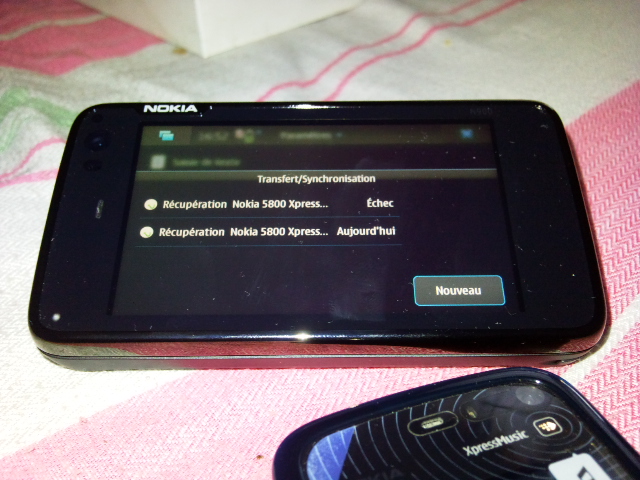
From your old Nokia to a new one has been a piece of cake for quite some time as far as Symbian devices go and it is pretty easy with Maemo too. Infact you can now even pull in contacts from your online accounts without third party software. Simply goto contacts and you will be presented with a plethora of options as shown here.

Sadly, there's no possibility to import your old sms from other devices...(well there're some workaround that requires some technical skills to achieve the process...)


Connectivity :

All kinds of network connectivity are at the user disposal - GPRS, EDGE and 3G with HSPA. The GSM/GPRS/EDGE support is quad-band which makes the Nokia N900 capable of wordwide roaming, while the three supported 3G bands are 900, 1700 and 2100 MHz. HSDPA speed is up to 10 Mbps, while HSUPA reaches 2Mbps.

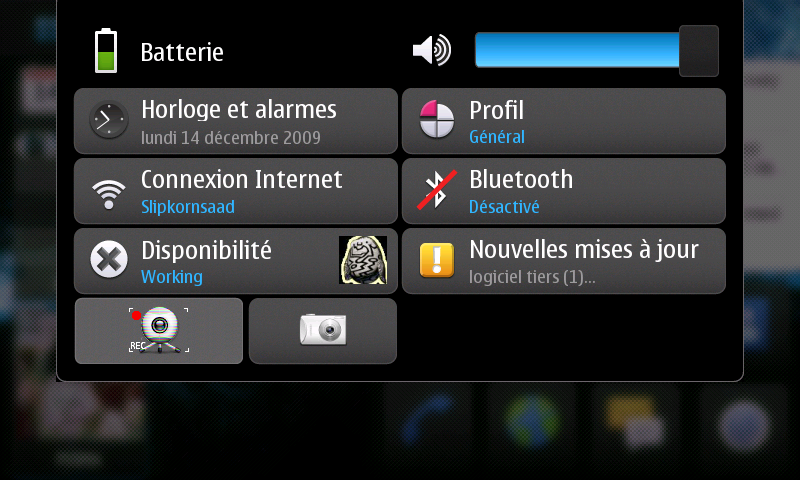
Of course, the N900 supports WLAN with a large security options including WEP, WPA-PSK and WPA with EAP (PEAP, TLS, TTLS: EAP GTC, EAP MSCHAPv2, MSCHAPv2) and has the abaltbility to automatically switch from mobile network's packet connection to WLAN once you get in its range, also, it's easily manageable through the shortcut that appears when you touch the status icons from the homescreen

There's also Bluetooth in its 2.1+EDR version with A2DP, AVRCP FTP, HFP, HSP and OPP support, the transfer speed is a little bit above most current smartphones, due probably to the writing eMMC speed (details after the break) ;)

Happily, infrared port is here (located on top of the device as showed on the pictures above) and if used for remote controlling it works at a range up to 3-4 meters !

USB 2.0 High-speed micro connector which rates the N900 at high scores when it comes to transfer speed!

Connecting the USB cable pops up a similar requester as on S60 phones asking to choose the connection mode between PC Suite (e.g. for synchronization) and Mass storage (for fast data exchange) but there's no multimedia or photo transfer mode...

As i pointed, the N900 scores the best speed transfer rates ever on any owned mobile phone !

Check out my brief demo (on windows 7) :


I was surprised ! The Nokia N900 has 32 GB eMMC (embedded storage solution with MMC interface which combines high-quality NAND Flash memory with a high-speed MultiMediaCard (MMC)) and 256 MB NAND non-removable storage.

In theory, writing speed is up to 20MB/sec and reading speed is up 37MB/sec and as demoed, i reached 17MB/sec already !


Ps : The 256 MB NAND is formatted using UBIFS. It contains the bootloader, the kernel and root filesystem.

The 32GB eMMC is split into 3 partitions:
- 768 MB of swap
- 2 GB mounted as /home (ext3).
- 25 GB of free space mounted as /home/user/MyDocs (VFAT). When the device is put in mass storage mode, this partition is the exported partition.


Backup program

That really deserves its name, is in fact not limited as with Symbian to a one backup file, but can always create more !

In case you update, don't worry, as symbian devices, the N900 supports User Data Preservation !

What's hot :

- Highest transfer speed on a device until the time i'm writing this !
- More than one way to grab and keep your data up to date
- UDP Support

What's not :

- No automatic backup schedule (daily, weekly etc) like on Symbian
- No multimedia or photo transfer mode for USB event.
- No possibility to import SMS from other devices
- Sync issues between two N900 (will upload a demo when i'll have a correct internet connection)

Sunday, January 3, 2010

[N900 REVIEW] Part 9 : Application Manager and Games

It's all about the apps these days, or so some folks think. The magic actually comes when a good platform with appealing hardware and a great OS meet with a large selection of applications. Maemo 5 is a new OS and the N900's job in part is to get developers on board. Given Maemo's open source history, applications have so far been free and many have been ports from Linux. With Maemo 5 we're starting to see more "Joe Normal" apps instead of geeky ones. These include Documents To Go for viewing MS Office docs (currently the only pay-for Maemo 5 application, it costs $9.99 after the 30 day trial ends), an AP news widget, several weather widgets, games (so far mostly 2D though we expect some impressive 3D games given the Nokia's serious GPU and OpenGL ES 2.0 support), sketching applications, Witter (a Twitter app), a Facebook widget and more.

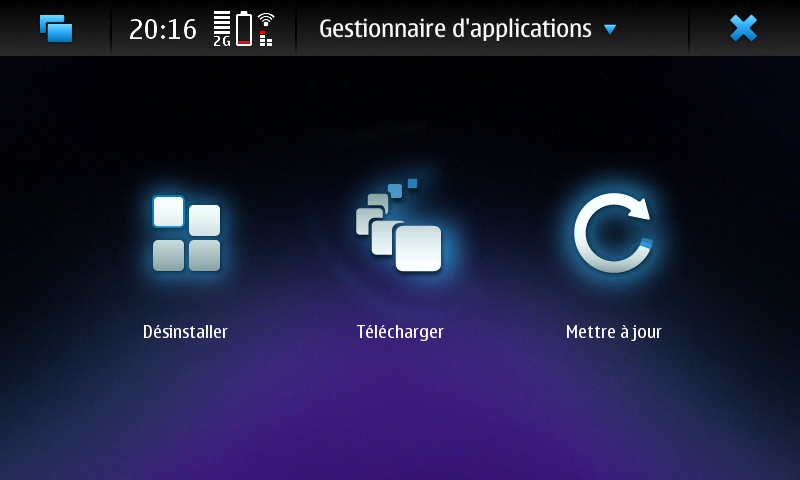
Application manager

Everything absolutely clear, easily accessible and free. No comparison to Ovi Store ...


Installing an application is pretty easy. All you need to do is download an installable file and the application manager launches automatically. It will then guide you through the installation process, which is pretty short in most cases ! No more 100 popups like on Symbian to accept licence or confirm installation, 2 steps are enough ! ;)

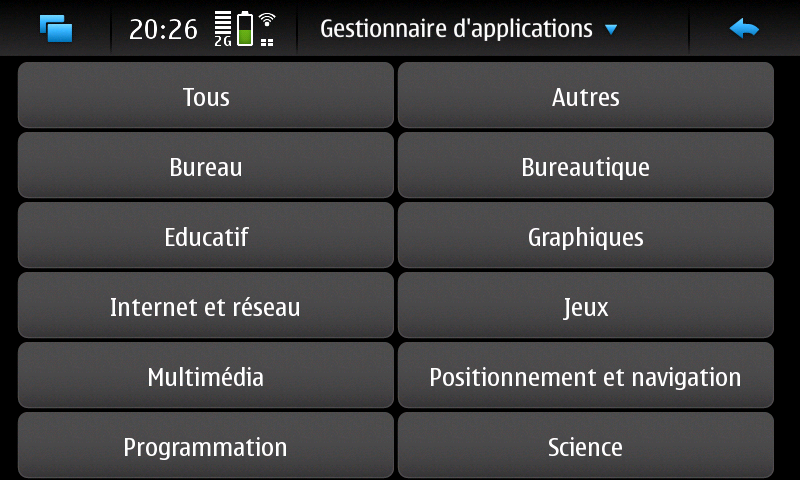
The thing you'll love about the Maemo platform is the fact that you can add repositories, in a simplified way, that means that you can add a storage location from which software packages may be retrieved and installed, even though the N900 supports installing software directly from a file (downloaded with the WWW browser, received via Bluetooth, copied from the PC, etc.), you will quickly realize that getting and installing software via the Application Manager is a much better and more convenient way, not just to install the software but also to be automatically notified about any updated versions (including the firmware, oh yeah !), additional files or plug-ins ;)


All you need to do is to add details of a repository to the Application Manager and it will check the repository and list all applications contained in it. You can add as many repositories as you can only find and the App Manager will monitor all of them and list all software they contain !

There are three different community driven repositories and you can see how it actually works to add more !

N900 support for installing local .deb files had been removed from the Application Manager (for security reasons and to ensure that users will be installing only compatible and complete (i.e. without missing dependencies, etc.) software via the repositories), making repositories the only way to install applications. More advanced users, however, will still be able to install .deb packages manually, e.g. using the good old dpkg command in the X-Terminal but you can enable Red Pill mode (an Application manager mode that disables certain safety features, and allows access to certain additional settings) to be able to do WHAT YOU WANT !

To track new applications and repository activity you can use AppWatch for example ;)

Games :

Nokia's own Bounce game is a 3D showcase of what the N900 can do. It's as impressive as an iPhone 3D high quality game and we can't wait to see more. And yes, you can play it while the phone is hooked up to a TV!

Here's a brief demo of my little old cousin playing it on the N900 !


It certainly looks capable of going toe-to-toe with iPhone 3GS when it comes to rich 3D games but the N900 has another advantage over Apple's device: full Flash support in its Web browser, so you can login to Facebook and play Who Has The Biggest Brain? So, Browser games could be a really exciting area for this device !

Here's another demo of 3D Baseball founded on youtube :


However, i wished the N900 had multi-touch for racing and football games. If it's about a patent from Apple i do wish nokia would have designed a directional pad with a button in the middle and two separate A and B buttons on the qwerty for gaming purposes.

Anyway, forthcoming Qt includes multi-touch and gestures which means that Nokia will bring them to their Symbian and Maemo phones.

Other coolest thing is the ability to get a good retro gaming use with a host of different emulators, so you can play MSX, NES, SNES, GBA (WTF?), Game Boy, ZX Spectrum and so on ;)

Ps : Nokia OVI Store for Maemo is expected to go live sometime this month ;)


What's hot :

- Installing an application is pretty easy
- Powerful hardware as enabler for huge developer community
- Possibility to add as many applications repositories as available
- Automatic notification of available update including the firmware's one
- Restoring a backup make the App Manager redownload your software from the repositories (with latest versions)

What's not :

- The availability of third-party apps
- The lack of automatic notification for new applications (out of the box)
- Basic application manager's UI, i'm looking forward to see something like this !

Saturday, January 2, 2010

[N900 REVIEW] Part 8 : Camera, Video Recording, Photo viewer and Editor

The Carl Zeiss certification got me intrigued at first, and the results were promising finally, well, almost ! Details, after the break !

Camera


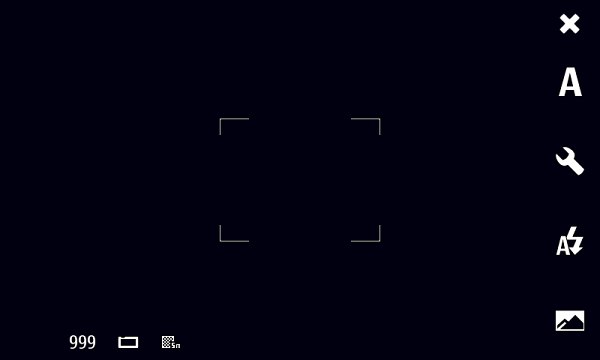
When you slide open the lens cover on the back of the N900 the camera software launches automatically (About 2sec). There are some icons on the right side only and in the bottom left you can see :

- A count of available photo capacity
- Option to designate saving location (general settings)
- Toggle between high resolution 5 megapixel photos (2576 x 1936 pixels) or widescreen 3.5 megapixel photos. 

Touchscreen functions on the right side include :

- Closing the application
- Switching the camera mode (automatic, macro, portrait, landscape, and action) or video mode (automatic)
- Capture settings (white balance, ISO sensitivity, exposure, and resolution),
- Flash (dual LED one) settings (automatic, always on, red eye reduction, and always off)
- A toggle to jump into the Photos viewing and editing application.


Tapping on the upper center of the display also gives you the option to toggle geotagging functions on the N900.

And pressing the camera button down half way focuses the image in the full screen viewfinder. Pressing all the way down captures the image. Sadly, there is no touchscreen focuses or capture functions like latest smartphones from other brands (SE Satio, Apple Iphone, some Samsung phones etc.).

The user interface is quite basic , But all that is necessary can be configured from the flash on the white balance to the focus.
The image quality is about average for a 5 megapixel shooter. The colors are good and the amount of resolved detail is very decent too, you can check out my head to head with some other devices !

Video recording

Is (finally) supported by default, and is really ok if not saying very good ! The N900 records video in MP4, AVC/H.264 format and in 848x480 pixels resolution (quite a non-standard one) at 25fps providing 16:9 aspect ratio, quality is surprisingly good when it comes to detailedness, smoothness and noise levels ! I would have been happier with a bit more saturated colors.

In the Video mode Capture settings are limited to White balance (the same options as for stills) and Exposure
Once videos are captured, you’ll be presented with the familiar review screen and given the option to tag, share, view in gallery and delete as required...
You can do some "macro" videos as well, oh yeah, by the why the video mode is called automatic video, because of the "autofocus" feature, so, before recording, the N900’s camera adjusts the focus point and the rest of the video will be clear at that original distance, however, as said, it is not continuous autofocus, i.e. it doesn’t adjust the focus during video recording, just prior, and you can check out a sample i made sometime ago :


Photo viewer and editor

Viewer functions: When you launch the Photos application you will see thumbnails of your images.

Videos are viewable in the Media Player and are not editable on the N900.

Tapping the upper center opens a pop-up that lets you select from the following options:

Filter by folder
Filter by date
Filter by tags
Edit images’ tags
Share images
Delete images
Settings

To edit an image, while it is shown in the full screen mode, just tap anywhere on it. A toolbar will be shown at the bottom letting you rotate, crop, share or delete the image as well as edit its tags. Advanced edit options are available via the menu; tap the status bar and select "Edit images". It will bring a menu with the following options: Flip horizontally, Flip vertically, Red eye removal, Brightness and contrast, Resize. Other options available via the menu include Save/Save as, Rename, Mark as favourite, Set as background, and Details.

But what's the most interesting feature is the tag filtering and assignment functionality ! in other words, you can add context to your photos with tag cloud (Tag format support: XMP, IPTC) :


Then it'll become easier to find them later, in the main gallery view, tap the menu at the top of the display and select Filter with tags. Now simply choose any key word from your tag cloud and tap Done to view all the photos containing those tags !

Of course, you can add tags to multiple photos at once...

As your photos are automatically tagged with the date, you can also search for pictures taken within a particular period of time, tap Pick day to view photos taken on a specific date, Custom date range to search for photos taken within a set period of time, or No date filtering to turn the filter off.


Last but not least, you can of course share your photos and videos with a few close friends or the whole online community by posting them directly to share.ovi.com, Flickr, Facebook etc. Or simply via a wireless Bluetooth connection, or attaching them to an email, hum, there's no share feature via IR !!

In summary, the images and videos quality capture is very good, Nokia are keen to get people Geo-tagging and the feature has never been easier than on the N900, and uploading photos to file sharing sites is just as easy with a few taps taking care of business, but it's sad to see that there's lack of extras such as Face detection, touch focus and other such features that are now common place in camera phones...

What's hot :

- Quality of stills and videos is really a very decent one
- Tag filtering offers you a great way to quickly find your photos
- Geotagging feature works flawlessly
- Many sharing possibilities
- Fast browsing
- Auto pre-focus on video mode

What's not :

- No self-timer
- No advanced mode (for still photos and video capture)
- No alternative resolutions
- No LED flash as a video light assistant when recording in low light conditions
- No 3D-view or some Cover Flow-like animation
- Portrait and landscape mode aren't automatically alternated
- The only way to zoom in and out is by using the volume rocker key

Tuesday, December 29, 2009

[N900 REVIEW] Part 7 : Multimedia Player and UPnP Streaming

Hello in this part where we gonna highlight part 1 of Multimedia capabilities of the N900.

Due to the N900’s 32GB internal memory (expandable by a further 16GB using a memory card), the phone is it a viable alternative to a dedicated MP3 player? Well, it depends on what's a viable MP3 player for you...for me, it depends not only on available memory space but mainly on the quality delivered by the audio chipset...and as such it is important that the built in media player hits all the right notes, details after the break !

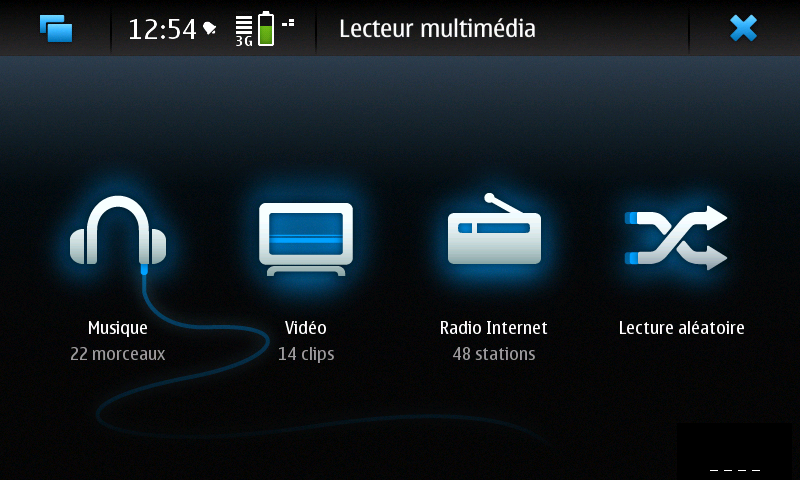
We come into the media player, the multimedia center of the N900, it is divided into three areas :


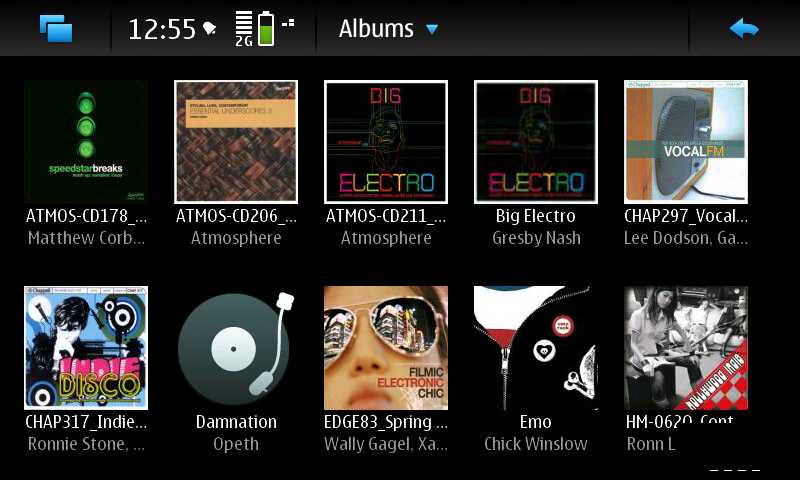
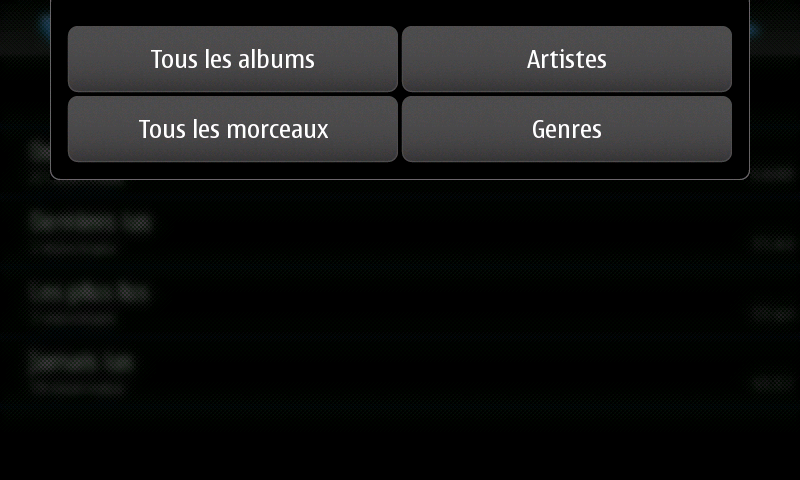
In the field of music, one has the overview of all the audio files on the N900. After opening music, the default setting is to sort music by album but this can also be changed to sort by artist, genre, playlists and all songs. The N900 supports album art which displays all music using album covers.


Once you’ve clicked on the album you’ll be taken to a list of all the songs in the album


If you ask me about the output delivered quality, you can check out my audio test on music and video playback with the Nokia 5800 Xpress Music (known by his hi quality speakers with bass rendering) and the Samsung Omnia HD (known by his Cristal sound effect), let's check out the demo (Sorry for the destroyed like audio quality, my camera isn't that good) :


As you may see, the 5800 pins down many many mobile phone out there, so the N900 sounds really fade and weak, i'm still talking about speakers right here...so, i decided to grab a N95 8GB to test its speakers quality versus the N900's ones as requested by many readers after the Part 1 Audio test series.

This time, the actual devices speakers orientation isn't the same, the devices are oriented in a position when they should be used in a day to day use (as advertised !) to output the sound, all settings are the same, no sound effects, no equalizer, volume is set at the max, check it out :


Then i've choose to plug the Tv Cable to a Tv Set to see how the N900 performs against the 5800XM, the Omnia HD and the N95 8GB, some nice surprises to check out :


In addition, i grabbed my Sennheiser HD 448 to make some comparisons and the results was somehow the same as the ones on the video above, i see that the N95 8GB has a "normal" rendering sound in a way it has an average bass and trebles output but the N900 has surprisingly deeper and clearer sound (even if i set up the N95's EQ to bass boost mode, the N900 is still a little ahead !), when it comes to the 5800, sure it has deeper bass rendering than both the N95 8GB and N900 but a lower volume, also no Cristal clear sound, it's the Omnia HD who wins this race (Cristal sound effect) as you can see/hear.

For the N900, the lack of equalizer will make things a little difficult for some earphones/headphones to provide sound as how it's meant to sound.

In summary, the N900 has a really, really great potential when it comes the sound delivered by the earphones/headphones, it just needs hardware access to EQ and i'm sure it'll beat the best in class ;)

Ps : Please do not confuse speaker sound quality with the quality on the headphone jack

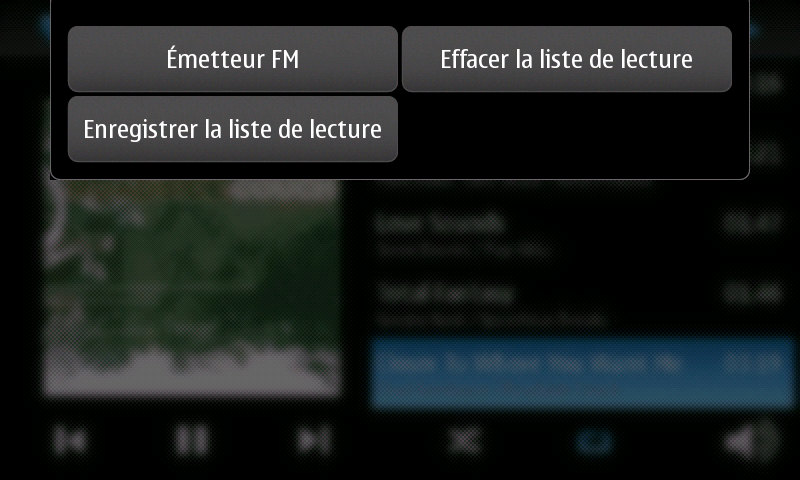
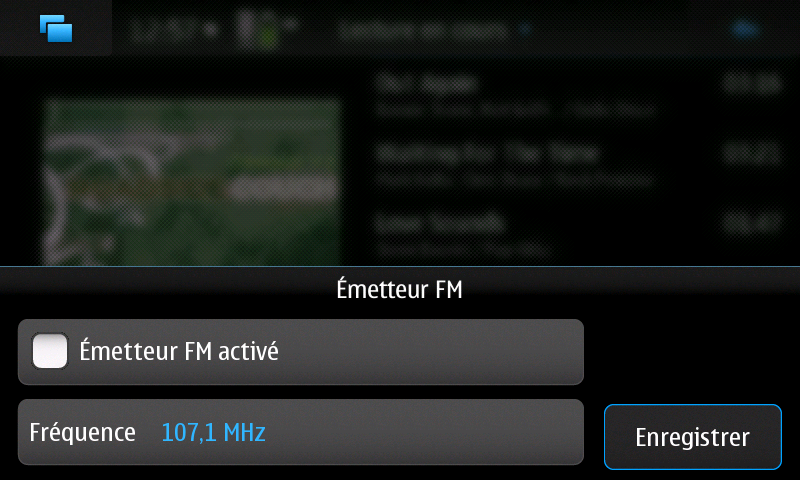
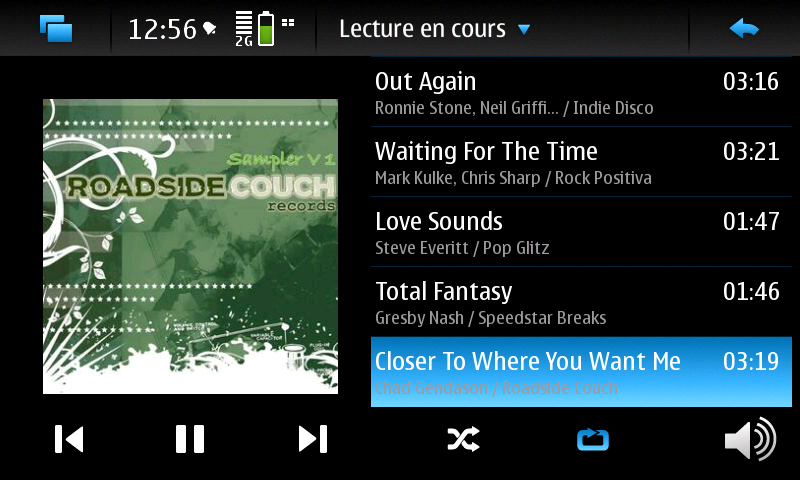
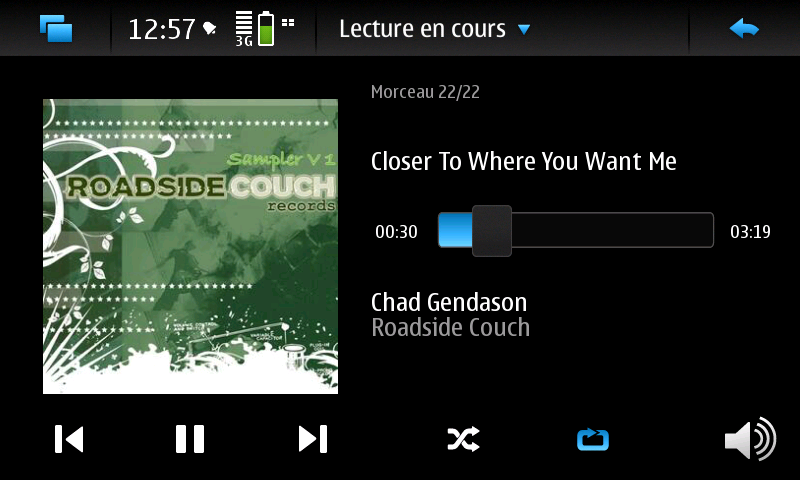
That said, when tapping on the top status bar, you can choose to delete the current song from the playslist, to add it in another one or simply to activate FM transmitter functionality that lets you output audio content to a car or home FM radio :


Will show you a demo of that when i'll have a good Internet connection for uploading videos, stay tuned ;)

Ps : I was wondering if can we go even further with this functionality and not be limited to the "Nokia" RDS text that is being transmitted by FM transmitter, and guess what ! You can even display Musics tags from N900 player, incoming caller name, or full SMS text message on the radio car display !

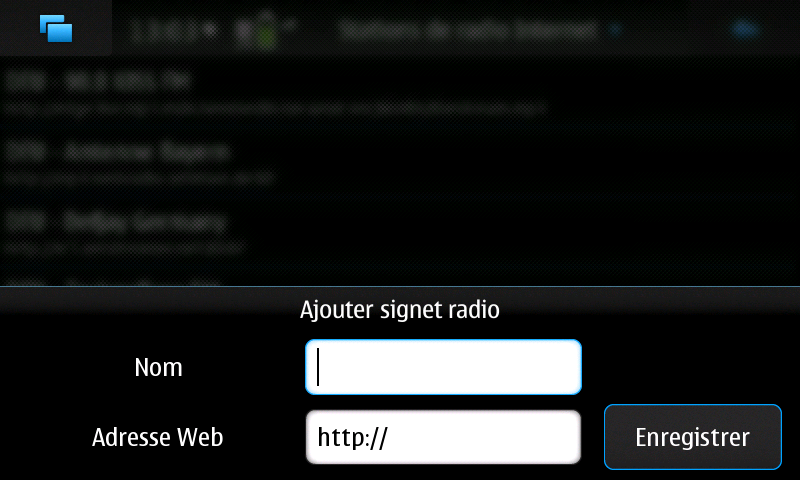
To match the music, there is the field of Internet radio. There are already several international channels stored so that you can get started right away. Other internet stations can be added as well.


And finally, there is a range for the videos. Standards-3gp, mp4, DivX and flv are not a problem. For other codecs such as MPEG2, there are already plug-ins, but not fully developed yet, and everyday use.


You have a list of all supported video clips in the device, divided into three groups:

- Recorded by device camera
- Films (i.e. all other video files)
- Video bookmarks (saved links to remote streaming videos)

Files are listed in alphabetical order and can be sorted by date or category, and in a playback mode, a press on the screen shows the controls which are normally hidden.

UPnP :

The N900's built-in media player is a UPnP/DLNA client only (Yes, the N900 is without any surprise a "unofficially" certified DLNA device), to use the N900 as a sever too, you may install MediaBox Media Center for example.

The UPnP subsystem of Maemo5 is based on gupnp. it can streams Videos, both HTTP and RTSP streaming are supported with following content formats : 3GPP formats (H.263), Flash Video, ASF, .AVI, H.264/AVC, MP4, MPG, .MOV, .RA, .RAM, .RM, .RMVB and WMV.

In addition, HTTP streaming is also supported with : AAC, AAC+, eAAC+, M4A, MP3, WAV, WMA AMR, and MP2.

As i said, Nokia N900 is not officially DLNA or UPnP certified, but it includes features that enable to use the device with DLNA and UPnP enabled media servers.

Ps : trying with pictures i receive a "folder empty" error

Check this video out to see how it performs with Orb and XBMC :


The functionality is more user friendly than what is currently available from any Nokia or Samsung in date when streaming from source to phone...


FM radio

FM radio chip is included. However, the N900 doesn't have FM radio software preinstalled built-in but the device is capable of receiving an FM-radio signal via a free 3rd-party FM-radio application ! The hardware is disabled for power saving reasons, in addition, Bluetooth has to be powered up :


Ps : Careful with the FM radio app, it's in alpha stage and will probably eat the battery

What's hot :

- Default audio quality is good in comparison with other Nokia's brand
- FM Transmitter
- DivX and XviD videos support out of the box
- WVGA display provides excellent clarity, detailness and resolution, and the playback is smooth enough
- Kickstand
- UPnP client easy to set up (all set up should be done from pc's server)
- Internet radio out of the box

What's not :

- No equalizer
- No decent FM Radio out of the box
- No advanced video tagging like on the photos viewer
- Despite the sound is clear, stereo speakers are somehow weak (volume, bass rendering) from what we saw in other N-Series
- Built-in media player is a UPnP/DLNA client only

Saturday, December 26, 2009

[N900 REVIEW] Part 6 : Web browser

Welcome back to this part, when i'll cover the area where the Nokia N900 really excels. The internet tablet pedigree shows big time in the web browser, which is certainly the best part of its software equipment.

Web browser :

Or the N900's Killer Feature, although Nokia refuse to call it a “Smart Phone”, preferring instead the term “mobile computer”, it shows support for any page i threw at it, including the extremely Flash-heavy page, I am still extremely impressed with the web browser on the N900 and think this is probably one of the strongest applications supported on the device ! If you're totally into the web, this is your phone. This is the "real Internet" and it's better than the iPhone's Safari web browser since it supports Flash 9.4 (and not the Flash Lite that most other handsets support) and plugins and offers better experience than Symbian devices.

It's Mozilla technology-based browser that sports the same rendering algorithm as what seems to be the favorite desktop browser around...and handles AJAX, Javascript, frames, CSS and most everything a desktop browser does.

Navigation is handled by a combination of dragging up and down (or left and right) and many ways to zoom in and out, pinch zooming is "impossible" on the N900's resistive screen. Instead you'll double-tap the screen to zoom or use the volume up/down buttons or swirl your finger in a circle ( draw a circle on the screen with your finger in a clockwise direction), my least favorite since it's hard to control.


Tapping in the bottom right corner calls up the tool bar with, from left to right :

- A bookmarks shortcut,
- An option to add your current page to your bookmarks
- The address bar displaying you current page (you can add in a new page and the browser will take you there).
- A back arrow for navigating back (visual history)
- The tool bar icon.

Hitting this icon again lowers a tool bar at the top of the screen which lets you minimise or close the browser using the status bar.

You can also access all the different interactive elements on a webpage to enjoy a more authentic internet experience. For that, you have to get into “mouse cursor” mode (interactive mode) with the device : Sliding your finger to the right from the bottom left corner of the display brings up cursor icon, tap it and you’re now in mouse mode. This makes the screen an entire mouse pad for you to select text or take other actions like viewing drop-down lists and context menus.


Next to the status bar, we find a description of the page you’re on and tapping on this presents you with several options including reload, find on page, downloads (letting you view and manage current downloads) and best of all : new window.

I've tried to complete the Acid3 test that checks how well a web browser follows certain selected elements from web standards, especially relating to the Document Object Model and JavaScript, Web 2.0, such as ECMAScript and DOM Level 2, and it has scored 94/100 !


Mobile Firefox also makes it up to 94, which isn't too surprising since it's just another Gecko browser

There are some minor teething problems. In its current form there are certain types of Flash content that won’t play nicely, flash videos other than youtube ones tend to be a little slow with noticeable frame drop, due to higher bitrate or codecs not optified for the N900?  but both Nokia and Adobe (the people who bring us Flash content) are working on updates which will be released via firmware upgrades (Adobe Flash 10.1 with hardware acceleration). Also, you can easily edit any document with all of the features offered by Google Docs, Google wave works well too, what do you want more than that?

The QWERTY keyboard also enhances the web browsing experience greatly. Instead of tapping once for the controls to appear, then deactivating full screen mode and clicking the address bar, you just start typing the address of the next page you would like to visit and press enter. It doesn't get much better than that really.

And to make web browsing even more convenient, each window/page opened in the web browser is represented in the Task Manager by a separate thumbnail !

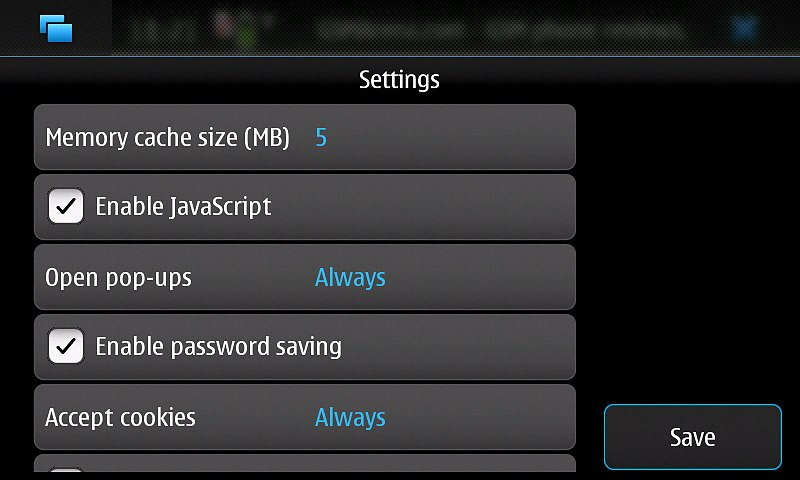
Classical settings can be accessed by tapping the status bar at the top of the screen :


Selecting "Options" showing a sub-menu consisting of the following buttons:


What's most interesting is the "Components" feature, that opens the Add-on manager where you can install and disable browser plug-ins and extensions (e.g. SSO Autologin, MediaPlayer plugin, etc). The manager also has a "Find updates" function which checks online if there are any new or updated plug-ins or extensions available.

Final words : If you can play Mafiawars or Farmville and have a true facebook experience, in addition to view full flash contents (Youtube video etc.), complex ajax powered sites (Google services : wave, docs, finance etc) you can do all the rest !

You can watch the following demos of IM, Emailing, Web browsing etc :


In summary : Due to its internet tablet heritage and landscape screen orientation, the N900 lends itself perfectly to web browsing on the move, come to think of it, even if you don't need the Flash but still do a lot of browsing, you should probably consider N900 very seriously.

What's hot :

- Support of Flash 9.4
- Support of Adds-on
- Support of multiple windows
- Support of copy/paste
- Interactive mode

What's not :

- Swirl to zoom feature is slow to be useful. You need to make four or five circles instead of two short taps.
- Some compatibility issues with flash videos other than Youtube

Friday, December 25, 2009

[N900 REVIEW] Part 5 : Messaging (SMS, IM, Email)

This part will highlight one of the most interesting features of the N900, coming with a full QWERTY keyboard, it will naturally be regarded as a good choice for heavy texters. Indeed the handset is a pretty powerful messaging tool but there are a few limitations when compared to its S60 siblings and some other competitors.

Messaging application is "divided" into two separate applications : Conversations application for SMS and chat and separate Email client for just email.

Conversation application :

Which handles both SMS and Instant Messaging in a threaded way (i.e. shown as conversations), and it's a really good thing (i'm using Free-iSMS for that on my Symbian devices, à la iPhone...).

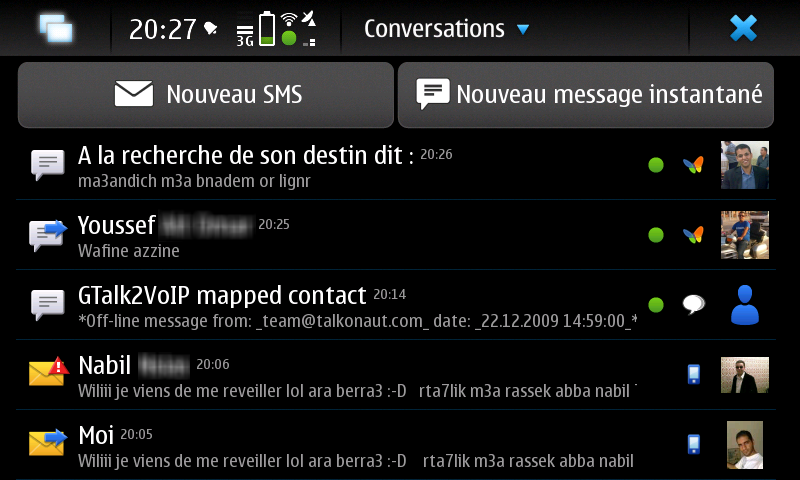
Opening the conversation application will shows you recent conversation and single (sent and received) recent messages. SMS messages are marked with a yellow envelope icon and conversations are marked with a white bubble and an arrow showing the direction (received or sent) of the last message in it. Besides this icon, each entry contains :


- Contact name (or nickname) or phone number of the sender/recipient
- One line of text of the message
- A thumbnail of contact picture or avatar
- An icon showing connection type or IM account (e.g. Skype, Google Talk, mobile phone) and contact's current Availability status icon.

--> Tap an entry to show a message or unfold the conversation. On top of the main view there are two large buttons: "New SMS" and "New IM" to send a new message or start a new conversation.


- SMS

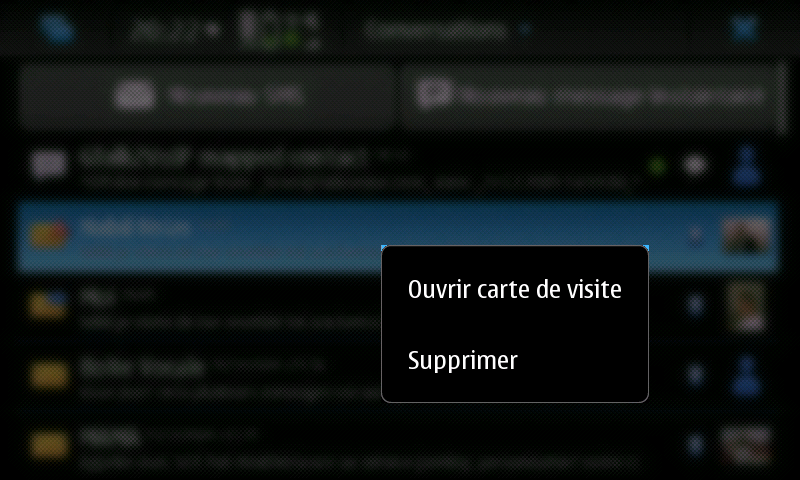
For an SMS, when long pressing on thumbnail or conversation, this will bring a pop up asking you whether to delete conversation or open business card (contact details and informations) which will enables you to call him, view his web page etc (the same with a IM conversation when offline).


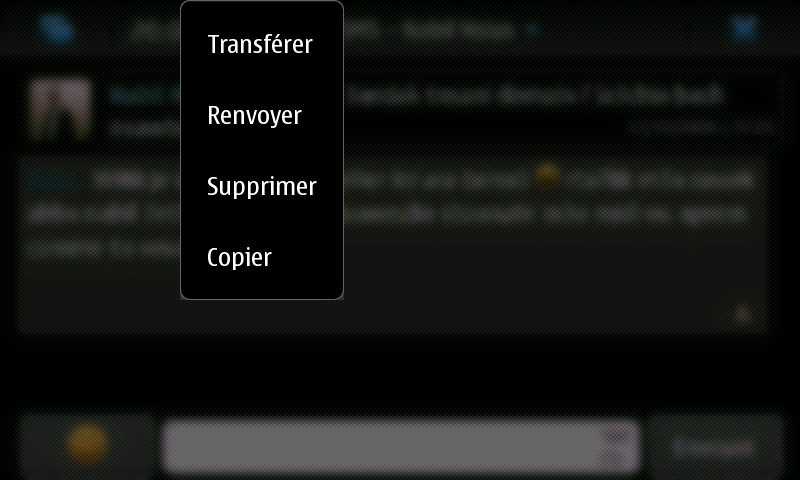
You can make classical in SMS view (forward, delete, copy, resend) :


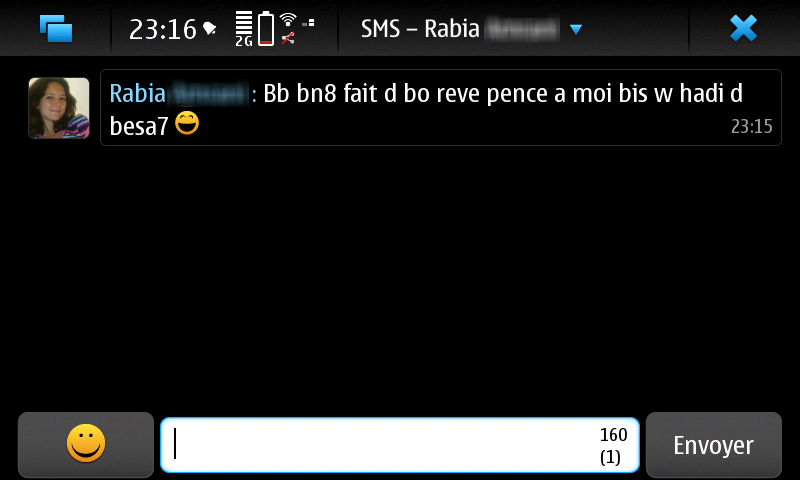
Smilies are supported too, which is really a cool feature, i was waiting for this since a long time on my Symbian devices, while some SonyEricsson have it since a long time ago...


Sending bulk SMS is supported by default - you can select as many SMS recipients as you wish by selecting them from a list.


- IM

Also, Instant messaging on the N900 is as easy as SMS. Between the slick interface and integration with plenty of Instant Messaging accounts you’ll never be offline!

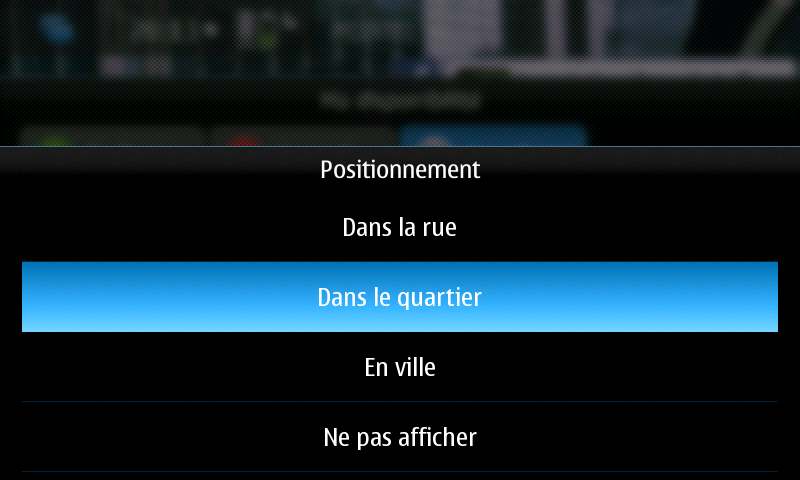
For IM, entering your login details. Once you have this done you can control your IM availability by simply tapping the cluster next to the clock on the status bar at the top and choosing ‘Availability’. The status can change to chat comfortably in the top status bar :


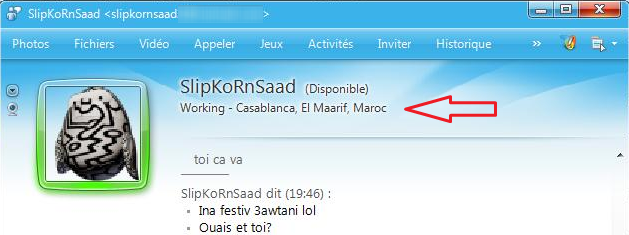
You can even set a personal status with your geographical coordinates so it'll shows your buddies from where do you chat with them !


And that how it looks on a Windows Live Messenger for example :


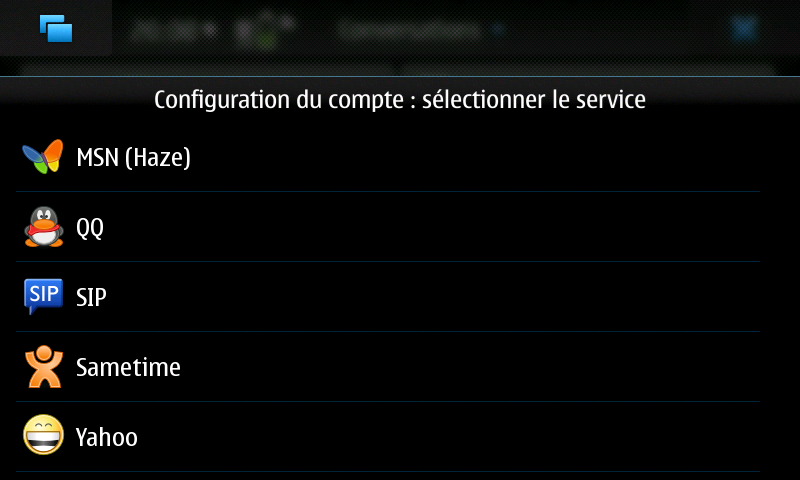
By default, the instant messages program has only Skype, Google Talk, Jabber and SIP preloaded. With a plugin called Haze, however, we can extend the protocols for AIM, GaduGadu, Groupewise, ICQ, MSN, QQ, Sametime and Yahoo, each account with its advanced settings, and then it becomes really fun !


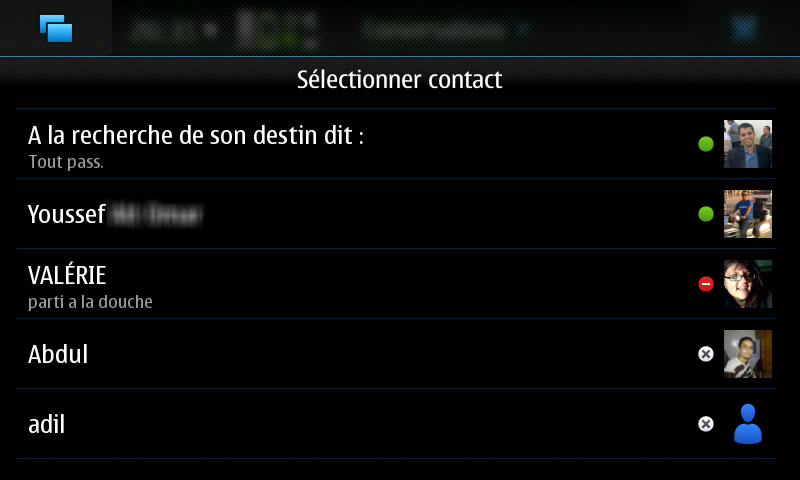
The chat contacts are in fact stored in the normal phone book. Duplicate entries can use the function "Merge Contacts eradicate" so that only one contact with all the info remains. If you sort the contacts eventually not alphabetically but according to their status, the offline contacts passed down so that you, as is customary in a chat program, a current overview of the current "buddy" has.

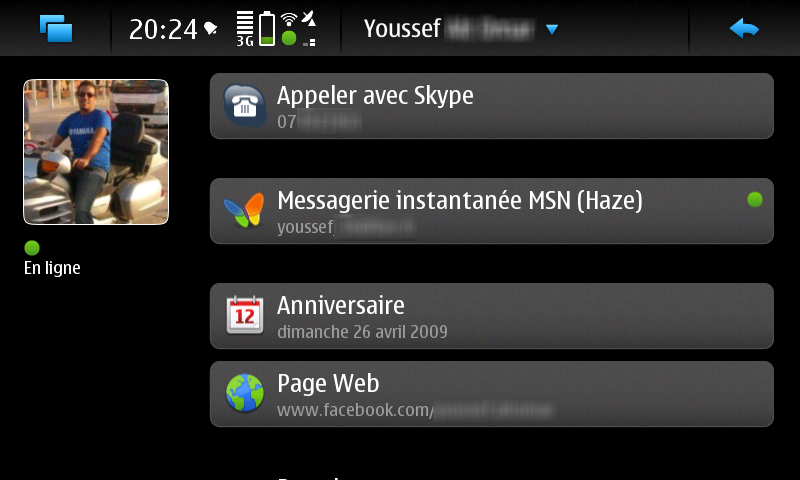
While online, when tapping on a contact's thumbnail, this'll bring contact's informations and details, so you can call him, text him visit his Facebook page etc. straight from the conversation !


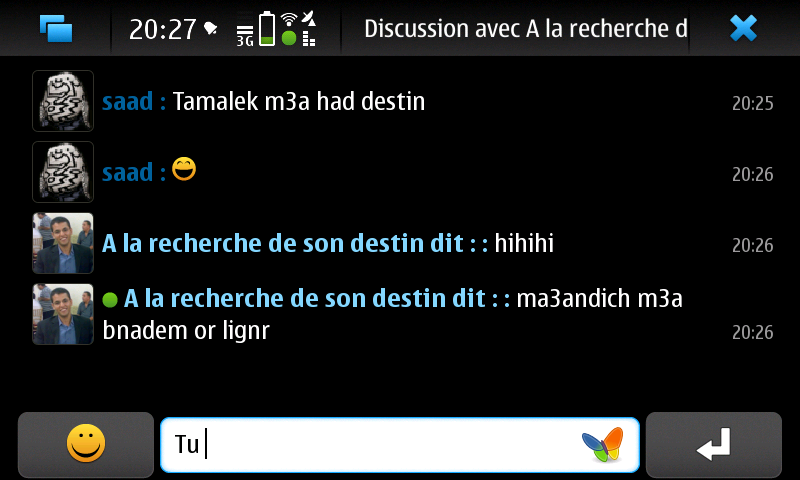
The chat view is the same as the SMS one and smilies are supported too :


In the main conversation application's view, when you tap on the top bar (conversations) it'll brings up some options for both SMS and IM :


- Chat with (for IM side)


- Delete conversations
- Settings
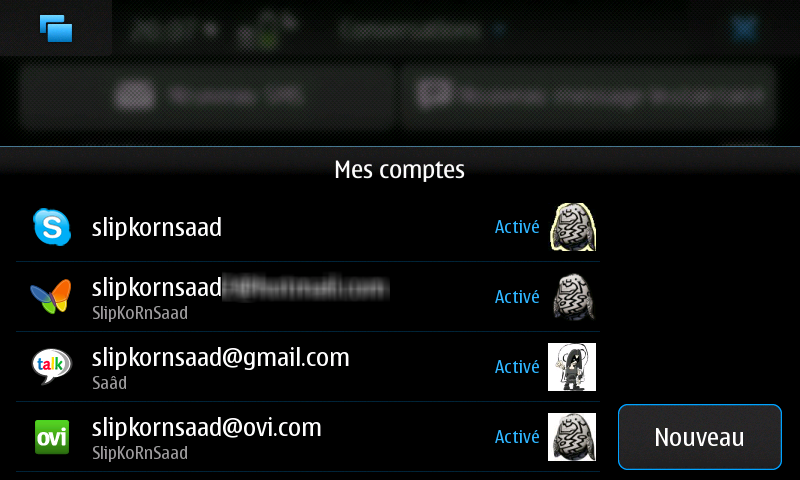
- Accounts


Email client :

The Email client supports HTML/rich text on its own, which means that it works with HTML messages directly, without having to display them using the web browser like on S60 phones ! Finally...

Simply open the email application and select add new mailbox. You will be presented with options from Gmail to Nokia Messaging. If you already have a Nokia Messaging account The N900 will then automatically populate all your email addresses under that account.

Although its easy setup process isn't as easy as it was on some Symbian devices. I needed to enter a few of the settings manually in addition to the username and password, for example, the handset filled our POP3 and SMTP servers automatically but left to us to activate the SSL protocol manually (Gmail works only over SSL encrypted connections)

The e-mail program is simple, but adequate. You can manage multiple addresses, either POP3 or IMAP. A solution for Microsoft Exchange Server is also integrated. This makes it a permanent synchronization of contacts and calendar entries given.

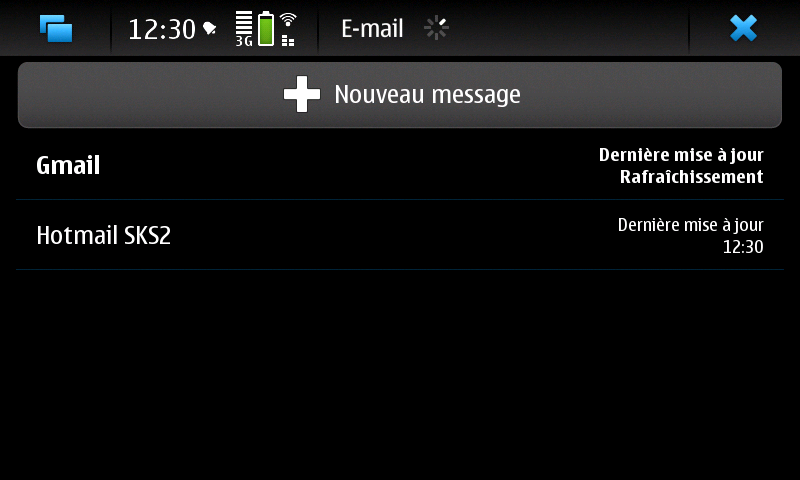
Opening Email client point by default in a view listing all configured accounts :


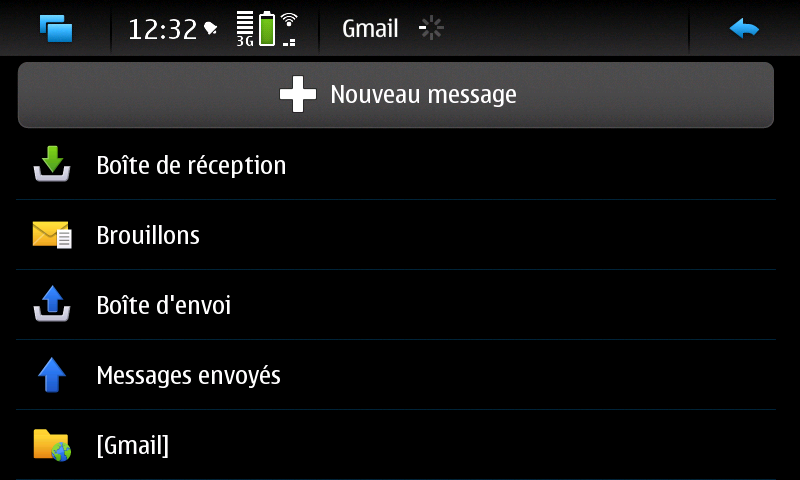
Each account has 5 default folders (Inbox, Drafts, Outbox, Sent and Archive) and you can create new, own folders and freely move messages between them.


Messages can be sorted by date (ascending or descending) or subject (A-Z)


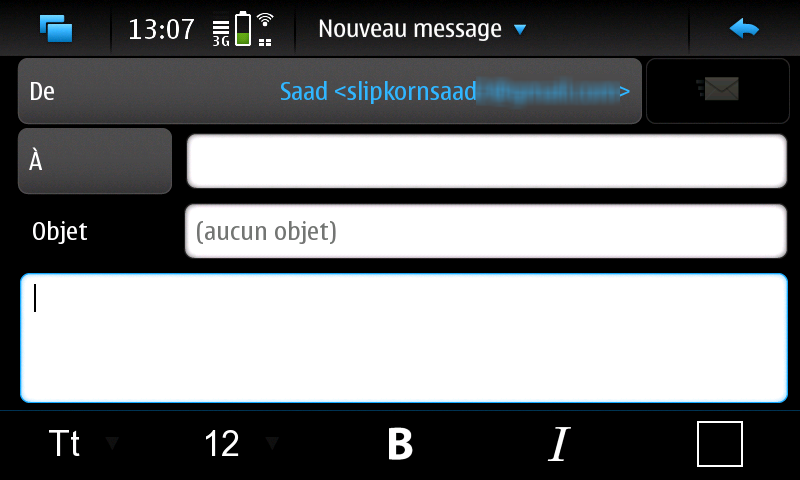
You can choose default message format for new emails (plain text or HTML), by tapping the "From" field (being a button) you can quickly change the account to send the message through.


When creating a new message, you can optionally add the Bc and Bcc fields, attach files to it, choose between low, normal and high priority and switch between HTML and plain text format, Signatures can be activated and customized too.


It looks like the Email client does not cache data, going into my inbox (with just 250 mails, my main Gmail account has 1400 mails) require half minute to get it refreshed...

The Mail for Exchange functionality currently only works with MS Exchange server 2007, not 2003, or Google’s version of Active Sync (well, there's a workaround).

What's hot :

- Virtual QWERTY keyboard for text input in addition to the regular one
- Native HTML support for the Email client
- Powerful IM support and integration
- Smilies integration
- Personal status with your geographical coordinates support !

What's not :

- No MMS support.
- No option to sort conversations (by sender, time, nicknames etc.)
- No option to create folders for conversations.
- No handwriting recognition though, despite there's a stylus onboard.
- No option to get only the headers if you're stingy with the data traffic.
- No option to subscribe IMAP folders yet.