Showing posts with label Symbian. Show all posts

Wednesday, June 20, 2012

Nokia 808 PureView In the House : Initial Impressions !

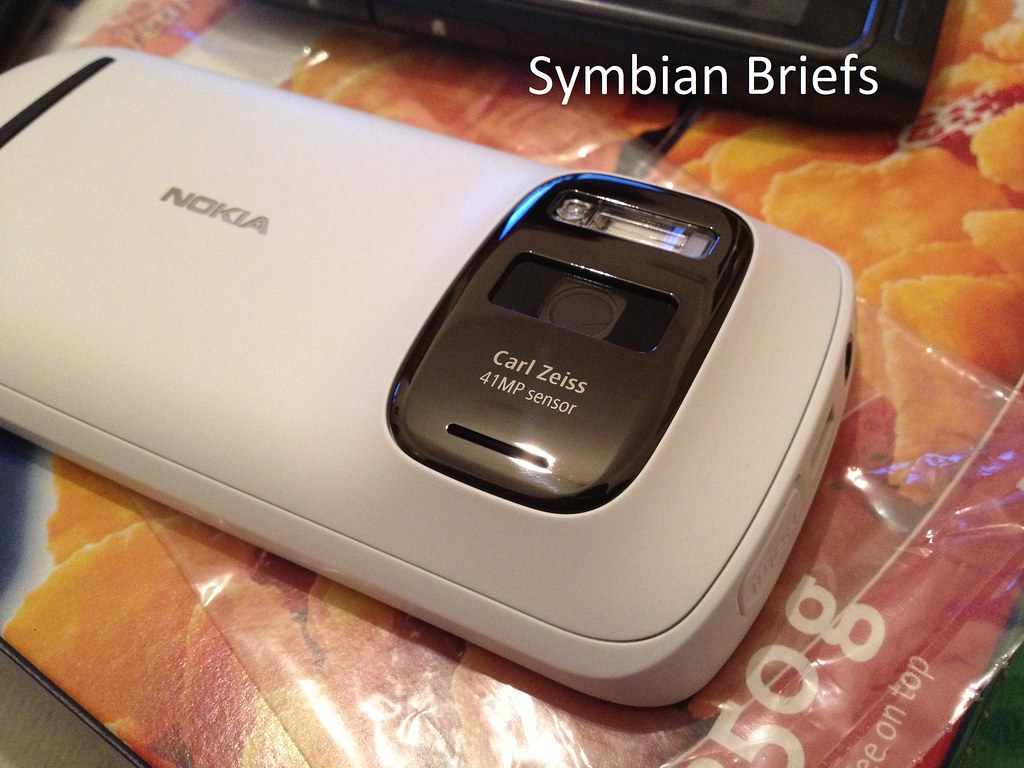
Well, time is here where the wait is over, since February ! I've finally got my Nokia 808 PureView which for me, is the latest and the gratest True "old" Nokia, by that i mean it's probably the last iteration of what Nokia "was to be" and somewhat it's the Gap between that and what Nokia "will be" (New Nokia)...So the "old generation" Nokia Fan are gonna like it and probably have it, let me remind you just a few things :

The Nokia 808 PureView is a Nokia Belle Feature Pack 1 phone featuring few tweaks on UI with boosted performance running at 1.3Ghz CPU and 512 MB of RAM (for a Symbian this is Good, or even very good i'd say, anyway it's smooth "enough" on every operation and task).

- The phone features a 41 MP camera sensor with PureView Pro imaging technology with powerful Xenon flash, LED video light and 1080p Full HD video recording with 30Fps and up to 4x lossless zoom.  (Continuous Auto Focus and Touch Focus were been added to the menu too, it was time Nokia !)

- It is also the world’s first device to include Nokia Rich Recording, which combines a unique digital microphone technology and Nokia algorithms to record distortion-free stereo audio at levels of up to 140 dB.

- 4" AMOLED ClearBlack display and 2.5 D curved Corning® Gorilla® Glass

- Active Noise Cancellation 

- Dolby Digital Plus and Dolby Headphone for playback

- NFC for easy sharing and pairing (and Secure NFC)

- HDMI micro

- Bluetooth 3.0

- DLNA Certification and UPnP

USB OTG 1.3

- FM Transmitter

Plus other classical features we find on every high end Nokia device since the N95...yeah even  and the Stereo FM RDS Radio

So you got it, it's the most feature rich Nokia to date ! Tell me about a Nokia user that won't like that ! Not me anyway...

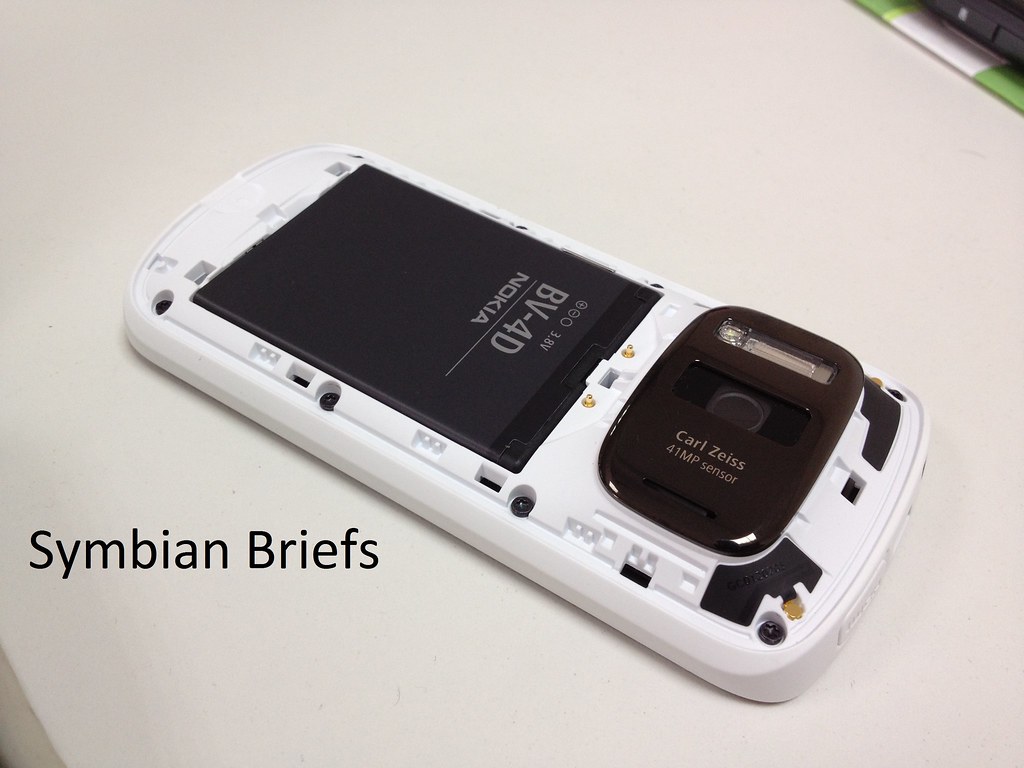
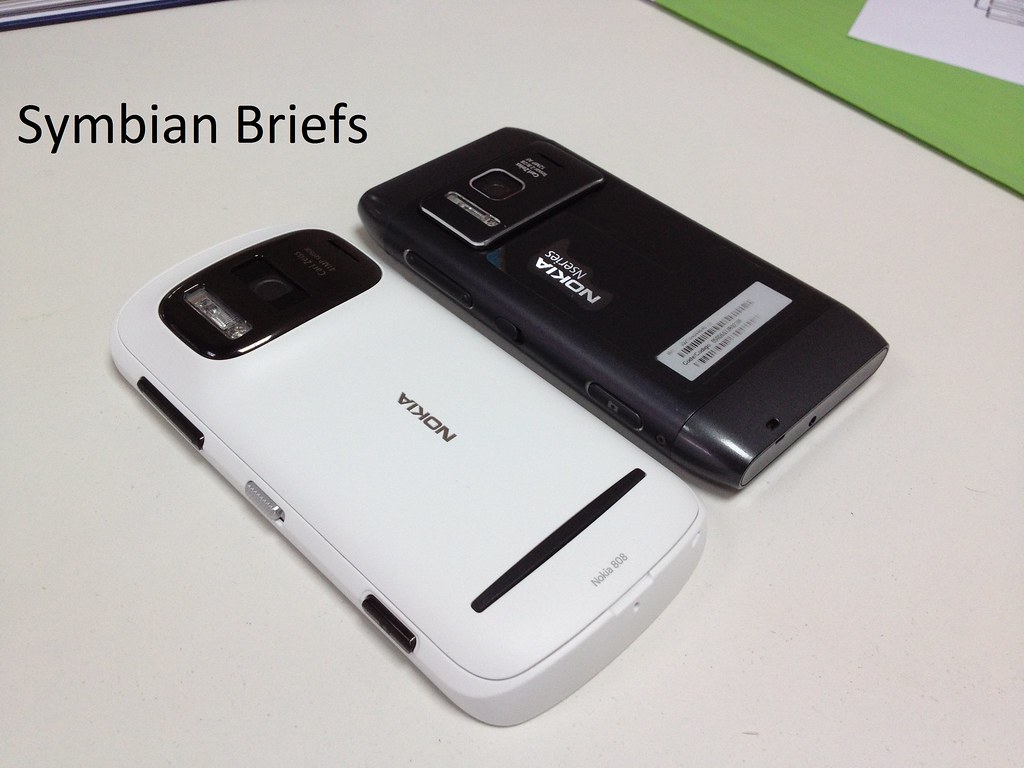
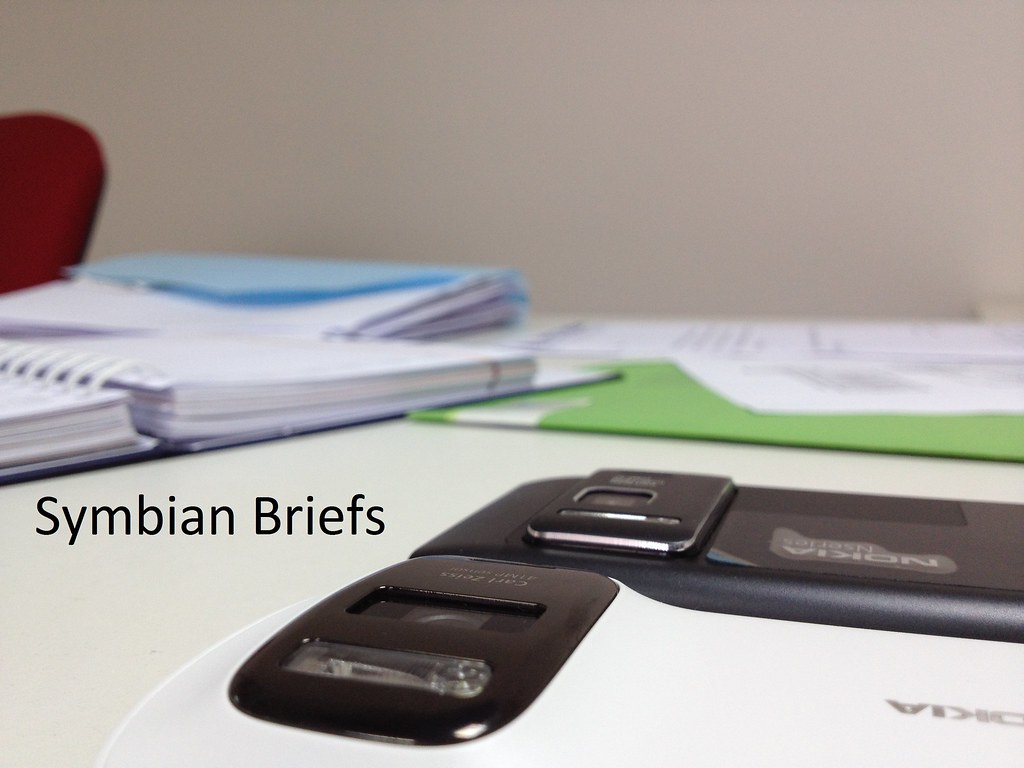
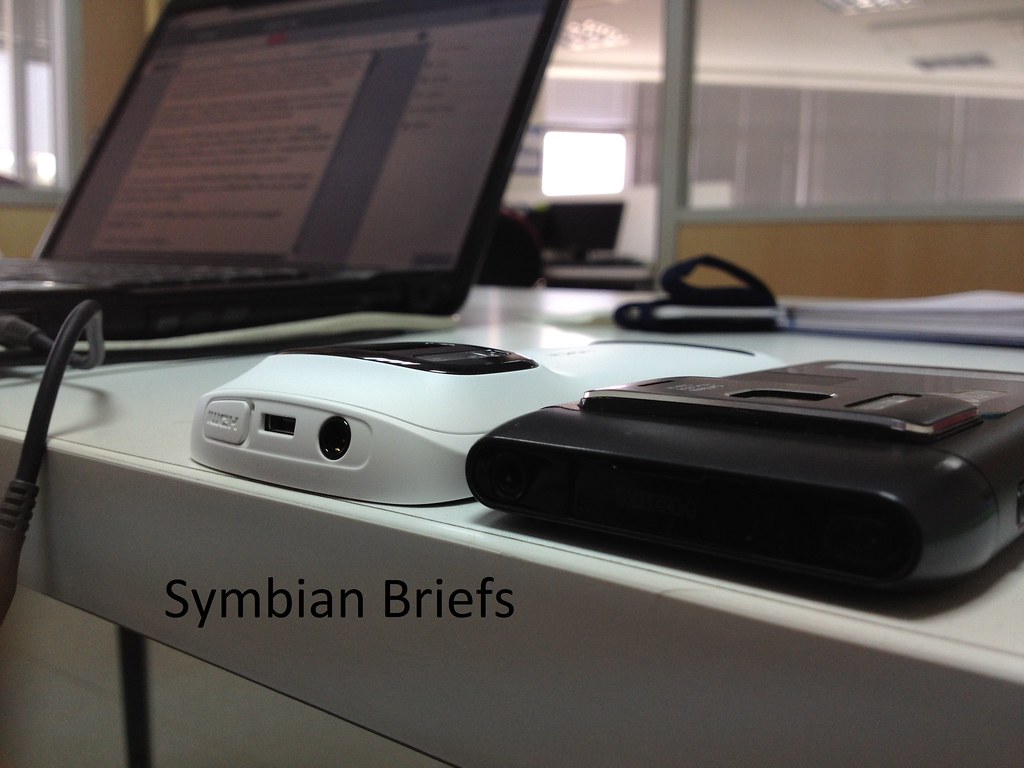
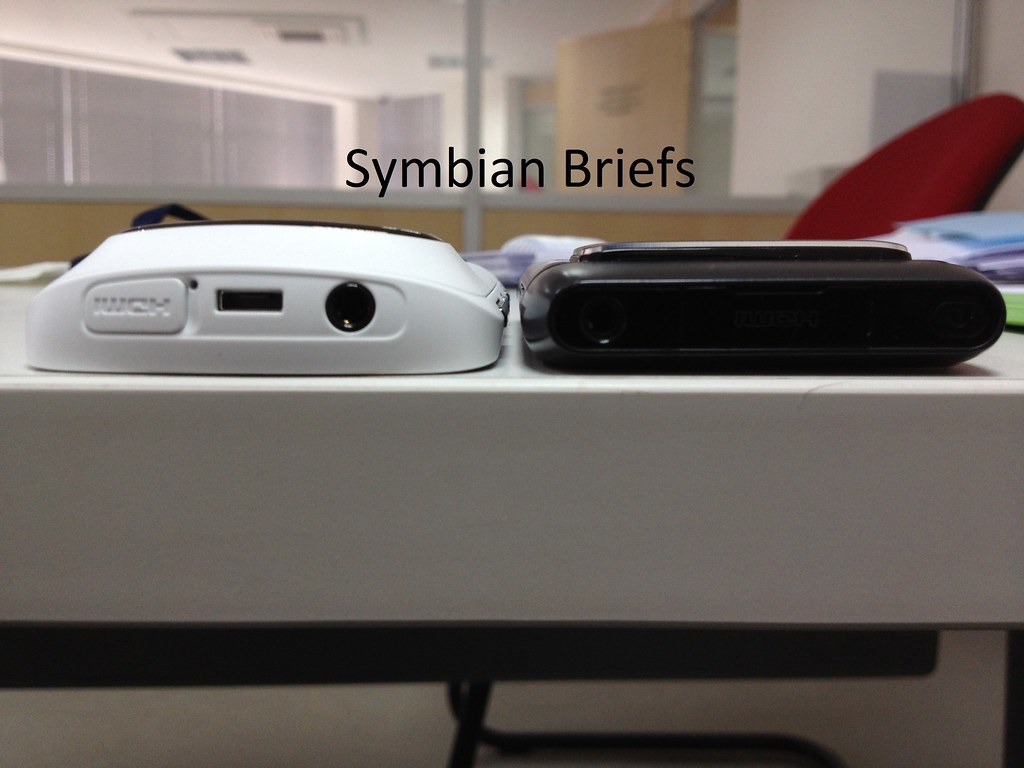
Anyway while waiting to publish my Head To Head vs Apple iPhone 4s, Nokia N8, N82 and eventually the N9, lets look at this beautiful (but Big and Heavy "169g") structure :


I got the white one because for me the black is lifeless and the bezel around the optic doesn't match with the "All Black" concept...


-> What i didn't like tough, and i should mention that on a more detailed take is that :

- The gallery application was heavily dumped ! For eg you can't multiple mark/select pictures for share/delete ,Long press should give more options other than tag, such as delete, mark...

- There's no 2mm charger connector, anymore...and USB charger is taking more time, especially with the 1400mA battery...ah, also, there's no "led charging" indicator so i have to check regularly to see if the device is charged yet or not...

- The events notification LED isn't bright and visually designed as on the N8...

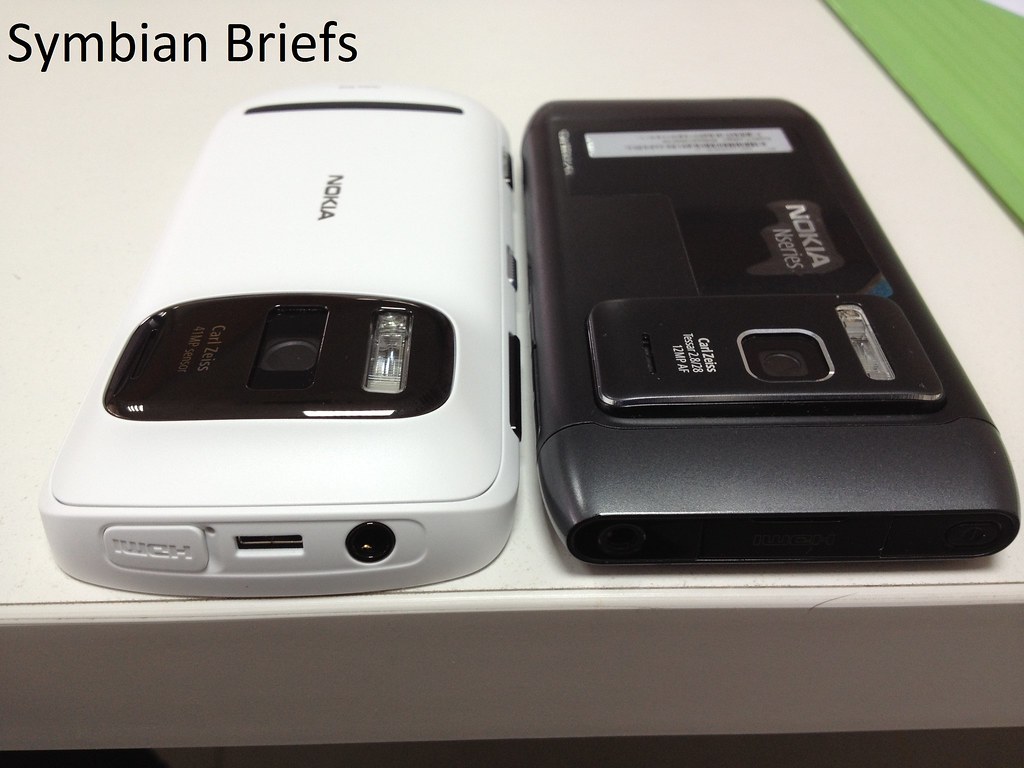
- What i didn't like also is there's no Micro HDMI adapter, so the N8's one (mini HDMI) won't be compatible...

- It feels really big and heavy, every device you hold after playing with the 808 for 2 minutes will look much "handy", "sexier" and "thin" !! (N9, iPhone or event the N8).

- Also, the camera user interface while including some more advanced settings, is very complicated, to illustrate this situation :

--> I take my iPhone 4s, fire the camera On, take the picture, done ! It does it all ! with a single touch ! (Autofocus in macro mode mainly) !

--> with the 808, good luck to even get a proper closeup shot ! (don't worry, as you know, i have an N8, N9 among others and i know what i'm talking about) I was really upset when this happened yesterday, it's true that there's an automatic mode, even better, a scene mode, even geeky and advanced creative mode, but seriously, couldn't we do it in an easier way?

An example of the stunning DoF on a Macro Mode (after 6 tries, grrr) in pureview mode :


And a (max)Zoomed example of initial shot in pureview mode :


And Guess what ! The N8 is ashamed when it comes to the level of the details, an example? Why Not but Stay tuned the time i play with the device a little more ! ;)


Ps : This Preview was done by the iPhone 4s ;)

Saturday, December 17, 2011

[Briefs] Symbian Trying to become MeeGo !

And since the early version of symbian^3 i did notice some user elements from Maemo5 UI, and i see more and more of these elements on Symbian Belle, now it's becoming more interesting as we'll get a UI almost similar of what we have on the lovely N9 which is one of the best UI till date :)

The UI components listed below are the basic Qt Quick building blocks of the Symbian OS. The Symbian UI style is achieved by following the guidelines for each component. as listed on the Overall UI model description and in fact they are a collection of realistic user interface views and components. The stencils can be used to create mockups which are close to the final visual result


More to read over here !

Sunday, October 9, 2011

[Did You Know?] You can now Hack your symbian without PC & certificates !

Finally had some free time to post about this, i guess it'll make symbian owners who can't generate certificates happy !

1. install NortonSymbianHack.sisx
2. Launch
3. Go Options- Anti-Virus - Quarantine list
4. Go Options - Restore, accept prompt ("yes")
5. Exit application, delete it from App manager (Symantec Symbian Hack). Also delete c:\shared\ folder.
6. Install RomPatcherPlus_3.1.sisx
7. Launch and apply patches:
- Open4all for full access to file system
- Installserver for installing any unsigned applications ( if you see a red cross on installserver in RomPatcher then get installserver.exe* and move it to C:/sys/bin via x-plore file manager for example)
- Set patches to auto if needed (Options - Add to auto)

* Select the file corresponding to your model (see the *.txt file on the attachment)


All credits to CODeRUS !

Sunday, September 4, 2011

[X7 Review] Part 4 : Multimedia And Verdict !

Anyway, as you can see, the Nokia X7 has an excellent 8 megapixel stills, with EDoF, though lack of macro photography will be a problem to some (or most of people, as people are taking more and more close-up photos without even knowing it !) and whatever Nokia says about it, but it remains a cost question after all ! I really respect the iPhone concept in this field, all is just a tap away and it still offer autofocus and auto-macro-mode...users doesn't even know that...anyway

Camera (video) HD (1280 by 720) video is superlative, EDoF produces a huge effective depth of field, from 40cm to infinity, CD-quality 48kHz audio capture, and with Belle update, fps will jump from 25fps to 30fps !

And speaking about video, the video playback experience was very good, better by miles than on the N8 or C7 but less interesting than on the E7, due to the lack of a CBD display...but all in all the 4" screen really does the job and by the way the quality of the sound (in video or Music player) is better than on N8, C7 or E7, more deeper (bass rendering), i had the opportunity to see how it does perform against the Galaxy S2 from Samsung, and guess what ! If the video is launched but being paused or stopped, when playing or resuming the X7 does actually a better job than the GS2 ! but for the rest, the GS2 has more settings for the video playback, has vivid screen (but sometimes it produces unnatural colors) and a larger screen (which is a subject to debate), also what i did like is the way anyone hold the device when watching a video, it's just so natural (like holding a PSP for eg) thanks to it's curved back...but the weird speaker arrangement makes the sound obviously comes out of the right hand side of the smartphone (in landscape video-watching mode)


And by the way, the Symbian Anna update added support for Album artist field/tag to the Music player and if any tracks on an album are missing this information, those tracks are shown individually under separate albums

Ps : all tracks of an album are displayed as separate albums in landscape mode. This issue will be fixed in Symbian Belle.

Also, with the previous Symbian^3 software versions the Photos application showed items from all folders, so you may not be able to view some of your items any more after updating to Symbian Anna if copied to other than the above folders, but now, the Photos application in Symbian Anna will only show the items located in the Images, Videos and DCIM folders (e.g. items captured by the user). If you have saved your pictures in a different folder, they won’t be visible after updating to Symbian Anna. If there are items that should be visible in the Photos application, move them to the Images or Videos folder on the mass memory or memory card.

On another point, the X7 has a good GPS, backed up by Nokia Wi-fi location, with Ovi Maps 3.6 worldwide free voice-guided sat-nav. Maps can be pre-loaded by continent, country or area or loaded over the air but it doesn't include a true digital compass like its cousins and so a lot of augmented reality application just doesn't work !

Symbian Web (webkit-based), revamped for Anna, faster and more responsive but still constrained to a degree by the relatively slow processor, with Flash support (including video) and multi-touch for zooming of course and is more enjoyable on the 4" than on 3.5" of other symbian devices...

What i did like also is the efficiency of the symbian system with the anna update, in facts, it's stable at very low amount of RAM, as an example, when the X7 was running at 20Mb RAM left, is was really stable, no reboots, no freezes no nothing, it reminds me of my N900, and on the other hand, when the non-Anna N8 was running at about 50-40Mb i had a lot of glitches, freezes, hangs and sometimes a reboots, so it's a much welcomed tweak ^^

About battery life, with a "normal" use (3G, some calls, music for 1h, GPS for 20min, and some other general operations) it lasts about 17h ! when 3G is disabled it can last 23-24h :


With the new X7 i see a handset that is very difficult to categorise.

Yes it is a smartphone but not one with jaw dropping specification !

Yes it is stylish but not so drastically different that people will buy on design alone.

It is one of those handsets that will appeal to a certain segment of the market and in this case that segments is the video users and gamers who want a powerful phone that offers HD capabilities.

This high definition quality that i talk off can be achieved thanks to the X7 offering a high quality screen that can display a not very impressive resolution of 640 x 360 pixels with over 16 million colours thrown in to the equation as well. Another big factor behind the quality of the screen is the use of AMOLED technology in this model when many of the phones rivals are opting for LCD.The issue with LCD is that it offers poor viewing angles and viewing in sunlight thanks to its reliance upon a back light.

Actual performance on gaming is as goos as on its cousins with no noticable lag and the 4" touchscreen seeming well responsive.

The Nokia X7 will probably prove a good but not huge hit with a younger audience whilst proving a good option for any other user looking for a middle of the road smartphone with modern looks and great features.

Am i going to buy this device? NO !

As i said on the first part of the X7 review

- How to explain to me that Samsung GS2 with its 8.49mm has a front facing camera, but the X7, which is almost 12mm in thickness, doesn't include a front camera? So Nokia has no excuse for that ?

- How to explain to me that a smartphone for extreme entertainment does not have HDMI connectivity?

- How to explain to me that a smartphone for extreme entertainment does not have a standard TV-Out with composite?

- How to explain to me that a smartphone for extreme entertainment does not have an FM transmitter?

- How to explain to me that a smartphone for extreme entertainment doesn't have a Compass (Magnetometer Sensor), no single AR (Augmented Reality) application worked for me !!

- How to explain to me that a smartphone for extreme entertainment doesn't have a 2.0mm Charger Connector?

- How to explain to me that a smartphone for extreme entertainment and its 120x63x12mm couldn't fit a bigger battery in it like the BP-4L?

- How to explain to me that a smartphone for extreme entertainment has no internal storage?

- How to explain to me that a smartphone for extreme entertainment has No CB (Clear Black) display and a business one (E7) has one?

- How to explain to me that a smartphone for extreme entertainment and the successor of the 5800 and X6 has inferior twin speakers quality? In fact, a little amount of the sound emerges through the grilles and most of it comes through the main body of the X7, it means no cymbals and drums boombastic feel as on the 5800 or teh X6 and no significant 'stereo' effect. The end result is inferior music output to the X6 or 5800, great ! Will talk about this deeply on dedicated part ;)

- Also, you should note that there’s no LED indicator for notifications, is Nokia following some irrelevant (again) current trend overall with manufacturers?

- There's no slide locker neither, replaced the power button (another iPhone inspired, sorry i mean copy/paste design element)
 
I have all those missing features on my N8 for example and more, but for you, if you can still living without those features and you're searching a mid-range smartphone with a big screen and solid and nice looking hardware, this is definitely your device !

Friday, August 19, 2011

[E6 REVIEW] Part 3 : Im I The Messenger !?

Is it true that the great combination of the outstanding QWERTY keyboard, the rich featured Symbian^3 (and the "Anna" optimizations) and the touch screen makes the E6 a great messenger (device)?

Conversation view, and auto-correction
An SMS can be turned into an MMS simply by attaching an image or video. The messaging app supports both threaded and folder views.

 The E6 has preconfigured setup wizards for Gmail, Exchange, Windows Live and Yahoo! accounts, along with generic POP/IMAP support, though barring Exchange there’s no true push-email, only the somewhat vague “soonest” setting. 

Beyond that, though, it’s a solid implementation, with multiple email accounts supported simultaneously – though no universal inbox – and sensible keyboard shortcuts for things like replying or starting new messages. Unfortunately, the homescreen email widget only shows the two most recent mails, and there’s no way to expand that, we have to wait for the belle update which resolve this issue it seems.


Messages can be ordered by various criteria such as date, sender, subject, priority or even by attachments, searching is available as well.


 Where the E6 edges ahead is, again, in its display resolution, with text clean and – if your eyes are up to it – readable from lower levels of zoom than

As showed here, the full support of a meeting request is a huge plus !

However, punching in your Google account details doesn’t sync your calendar entries, and nor does it automatically pull down your contacts into the E6′s address book. You can search the server for contacts, though. 

Social networking, meanwhile, is handled by the Nokia Social app, which offers Facebook and Twitter support along with a basic homescreen widget. It’s not as fully integrated as on Android. 

Carried over from previous Symbian versions is the native SIP VoIP support, which works well.

Anyway as what was being said, within the Contacts app, two additional tabs provide contact grouping and integration with Microsoft Communicator mobile. The Communicator tab automatically sets up a contact's details once the connection has been made between the phone and the relevant Microsoft Office communications server, which can be located behind a corporate firewall.

Contacts can be accessed through the Contacts app or on the home screen by typing contact's name or company name, which will show an updating list of contacts with that number/letter combination in their details but what's more interesting is if you tape the green call key from any screen, you'll bring the live contact search screen ! (like on C7 and C6)

Ps : IM usernames entered in the Contacts app don't pull through to Ovi Chat, and vice versa, so we're still sticked to the software integration big issue. The Chat app also doesn't remember user details when setting up or changing services, requiring you to enter username and password details for all IM services separately. It seems disjointed that this information isn't added to the global Nokia/Ovi username system.

Unlike on the E72, that D-pad doesn’t function as an optical trackpad, though i didn’t miss the option, plus it'll be confusing with the touch screen

I wish if the D-Pad of the E6 was the same as on the E5

The keyboard of the E61 remains one of the most spacious but impossible to write a text with one hand on it, the E6 however can !

The keyboard of the E5 is the only keyboard that can match the E6's one !


Hold on what is this!? Oh yeah, do you still want a 2.8" on your E6? I guess not...or am i wrong?


So, what frustrates me about a business oriented "smartphone" is that :

- There's still no real push !

- Emails are not immediately deleted from the server on some cases 

- There's still the 2Mb limitation for attachments and this is frustrating nowadays ! 

- No universal inbox

- I want some magic iOS touch here, if the email contains a PDF file, show me the PDF straight instead of an extra tape to save it or open it with dedicated application, if it contains a picture, or song or whatever, let the appropriate application integrates with the email client :)

- I want some Maemo 5 magic as well, allow me to send a rich html featured mail (bold, colors etc.)

For email client, while it's rich in features it has still some limits despite faster than previous versions but i'm missing the reliability of the N900 client and some iOS magic touch ;) 

All in all, the E6 is really a great messenger and even without its QWERTY keyboard, we can still consider it as a good messenger thanks to the integrated advanced features of symbian^3 (and Anna optimizations) and the full support of meeting requests ;)

Thursday, August 18, 2011

[Modding] Charging Led with Missed Events !

This mod by Ancelad disables charging led, but forces it to blink when you have missed events !

- When you've missed events - charging led blinks every 250 ms (he is turned on during 200 ms) - you can change these values.

- When you haven't missed events - charging led blinks every 5500 ms (he is turned on during 750 ms) - you can also change these values. And it'll do it all the time even with charger

Download and install Led Events and reboot your device ;)

To change values - go to c:\private\10282bc4\rules, open file dfs7x92_light_notification_control.rul and edit it, find string

Code:


And edit onDuration and offDuration values as you want (in ms, 1 sec=1000 ms). Save this file and reboot to take effect.

Only for hacked phones. Works with Nokia N8 and E6 (didn't test on C7 yet)


Wednesday, August 17, 2011

[X7 Review] Part 2 : [Anna] Calendar And E-Mail experience !

I should note that this part of review applies also for the E6 in 80% of most cases, i'll write a dedicated part anyway ;)

And yes !

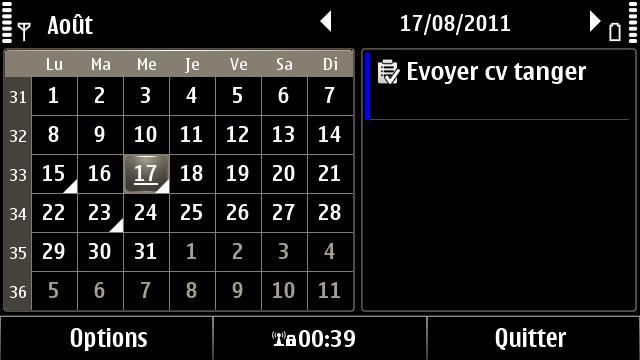
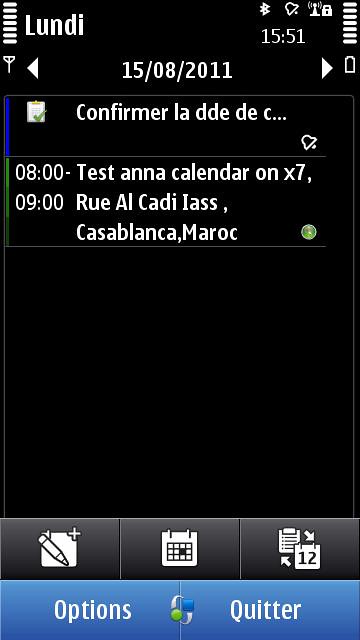
The big first difference with the Calendar functions with the Symbian Anna update is that we now get a split view approach to the layout. Previously the screen was dominated simply by numbered squares, now you'll find this has been condensed and a new empty pane added.

Click on a date on the calendar and where as before you simply got an empty page, now you'll find that a timeline has been added down the left-hand side so you can choose what time to add you appointment, helping speed up the whole process.

Dual-pane layout in the monthly view, the Calendar application in Anna becomes even more useful. You can tap on any day on the left panel, while on the right all of your appointments are shown. You can also use multitouch to zoom in/out switching between monthly and weekly views.


In Portrait mode you'll find the calendar at the top of the page and the Tap to Create Entry pane below it, while in Landscape mode they sit side-by-side. The main difference you'll find is that it takes one click out of adding an appointment or reminder. Previously you had to tap on the date and then tap again to enter information. Now you simply tap the Create tab and you're away.

You can still view in Month, Week or Day mode and there is still a To-Do list function. However, you'll also find that Agenda lists can be created within the Calender. This new look is far more intuitive and allows you to see at a glance what you have coming up that day, which is what you want and need most.

PS : The Anna screenshots on the left, pre-Anna (N8) on the right, and you can click on the screenshot to view it in the real size :)


What is interesting is that now the "add a place" for a meeting is highlighted on the meeting process (before you have to select "options" and then "add a place") and clicking on the surrounded area bring the Maps application to choose the meeting place/address :)


Another logical enhancement is when you want to join a note to an event, anna don't propose to create or to join a note as pre-anna did, which makes more sense...


The good news is that we have now a contact -or actually a mailbox- integration, for reminding or inviting contacts/guests to upcoming meetings (meeting request) :


So that we have now the ability to add participants (from contact application but only for contacts with an email address filed in by tapping on the surrounded area) to a meeting and we can even add needful ones and "optional" ones !


When the event is created it's presented as following on both versions :


With anna we can send this event as a meeting (to participants we included in the event) or as an email with details of the meeting !


But with pre-anna, we got an extra option on the other hand to search a N°, Email or Web link in the event (not sure how is it useful and i guess that's why it was removed from Anna.


If we hold the tap on the meeting event both version offer the possibility to view the address of the meeting, delete it and send it but on  pre-anna we have an option to copy the event into agendas while on Anna this option was replaced by edit the event :


As i said earlier we can send the meeting to all participants included in the event, and what's the most interesting thing is that i the event was updated or canceled we have a popup asking if we should alert and inform the participants about that (by email with the subject "update" or "canceled") !!! Very nice touch !


In the introduction of the first part of this review, we said the Nokia X7 is more about being able to enjoy content that’s already out there, and speaking about email experience (integration) what i didn't like about my experience with the X7 is that the email core is zoomed in by 20% i guess (120%) and because of the nHD crappy resolution, every email is pixelated and it gives a very bad impression about the "quality of the screen" !


Plus we have to do a lot more of scrolling to view the same content of an email in comparison to the pre-anna (or even the anna E6)


Another welcomed addition that i missed badly on my N900 and symbian devices, is that the email client can interact with phone numbers !


So when we select a phone number on a email, we have 4 options : Call it, Text it, Save in contacts and Copy it !


The aesthetic change is minimalistic (fonts are a little smaller, lists are longer etc) and i'm not fan of Anna black and white icons...


When we want to write a new email, the screen area is automatically expanded and the splited QWERTY keyboard (i'll talk about it in a dedicated part) is popping up, so we gain one more extra step on pre-anna way to do ;)


Live contacts is supported and make much more sense with the splitted keyboard, the area of live contact (and their email addresses) was extended to show more details about the actual email address, a welcomed enhancement as well !


Some little cosmetic enhancements when we choose an attachment, we have a list of types of the attachment while on the pre-anna we have another menu with types of attachments to choose...


What i didn't like is that in calendar view (mostly accessible by calendar widget) we don't have that magic bar anymore, the bar that allowed us to create an event in a step or switch between views in one step as shown here :


What i miss also (partially from my N900) is the birthday integration, when will you do that Nokia? Never i guess on symbian...

For email client :

- There's still no real push !

- Emails are not immediately deleted from the server on some cases 

- There's still the 2Mb limitation for attachments and this is frustrating nowadays ! 

- I want some magic iOS touch here, if the email contains a PDF file, show me the PDF straight instead of an extra tape to save it or open it with dedicated application, if it contains a picture, or song or whatever, let the appropriate application integrates with the email client :)

- I want some Maemo 5 magic as well, allow me to send a rich html featured mail (bold, colors etc.)

So all in all, the few enhancements on calendar side make calendar application one of the advanced ones out of the box, sadly it insn't touch friendly yet but it's a work in progress, i hope it'll be the case on the final release of the Belle update ! For email client, while it's rich in features it has still some limits despite faster than previous versions but i'm missing the reliability of the N900 client and some iOS magic touch ;)